Custom Content Management System
Full-Stack Web Application for Youth Scout Organization
Project Overview
This project represents a complete ground-up rebuild of a content management system specifically designed for a Belgian youth scout organization (Menapiers). The previous legacy system had become outdated, difficult to maintain, and lacked modern security practices (such as SQL injection proofing, causing a total deletion of the database) and flexibility. This comprehensive rebuild modernizes the entire infrastructure while preserving familiar workflows for existing users.
The CMS manages all aspects of the organization's web presence including page content, media assets, calendar events, team member profiles, social media integration, and website analytics. The system handles lots pages, hunderds of images and files, and serves multiple user roles with different permission levels. As of writing this, it gets around ~150 visitors daily.
Project Scope
- Database architecture design and implementation
- Complete backend system development in PHP
- Responsive frontend interface with Bootstrap 4
- Data migration from legacy system
- Security implementation and hardening
- User training and documentation
Technology Stack
Backend Technologies
- PHP 7.4+ - Server-side scripting with object-oriented patterns
- MySQL/MariaDB - Relational database with normalized schema design
- Session-based Authentication - Secure token management with database persistence
- RESTful API Architecture - AJAX endpoints for asynchronous operations
Frontend Technologies
- Bootstrap 4.6 - Responsive CSS framework customized for CMS interface
- jQuery 3.7 - DOM manipulation and AJAX request handling
- jQuery UI - Drag-and-drop functionality for content reordering
- Font Awesome 5.15 - Comprehensive icon library
- TinyMCE 6.8 - WYSIWYG rich text editor with custom extensions
External Integrations
- Google Analytics 4 API - Website statistics and visitor data
- Google Fonts API - Dynamic typography management
- iCalendar Format - Calendar export functionality
- Social Media APIs - Feed integration and content sharing
System Architecture
Modular MVC-Inspired Structure
The application follows a modular architecture where each functional area operates as an independent module. This design pattern enables easy maintenance, testing, and future expansion without affecting other parts of the system.
Module Structure
Each module directory contains:
- index.php - Module entry point with iframe-based navigation
- content.php - Main view rendering and UI components
- action.php - Server-side form processing and data manipulation
- action_ajax.php - Asynchronous request handlers for real-time updates
Database Architecture
Normalized relational database schema with proper foreign key relationships, indexing for performance, and data integrity constraints. The database includes approximately 30+ tables organized into logical groups.
Security Implementation
Multi-layered security approach protecting against common web vulnerabilities:
Authentication & Authorization
- Secure password hashing
- Session-based authentication with secure cookie settings
- Token-based session management with database persistence and expiration
- Failed login attempt tracking with account lockout mechanism
- Session regeneration after successful authentication
- Automatic session timeout and cleanup
- Role-based access control with granular permissions
Input Validation & Sanitization
- Prepared statements for all database queries preventing SQL injection
- Input filtering with filter_var() and type validation
- Output escaping with htmlspecialchars() preventing XSS attacks
- File upload validation including type checking, size limits, and MIME type verification
- URL validation and sanitization
- CSRF token validation on all state-changing operations
Password Management
- Self-service password reset with time-limited tokens
- Force password reset functionality for administrators
- Password visibility toggle with browser compatibility handling
- Secure password field clearing on page unload
Core Features - Detailed Breakdown
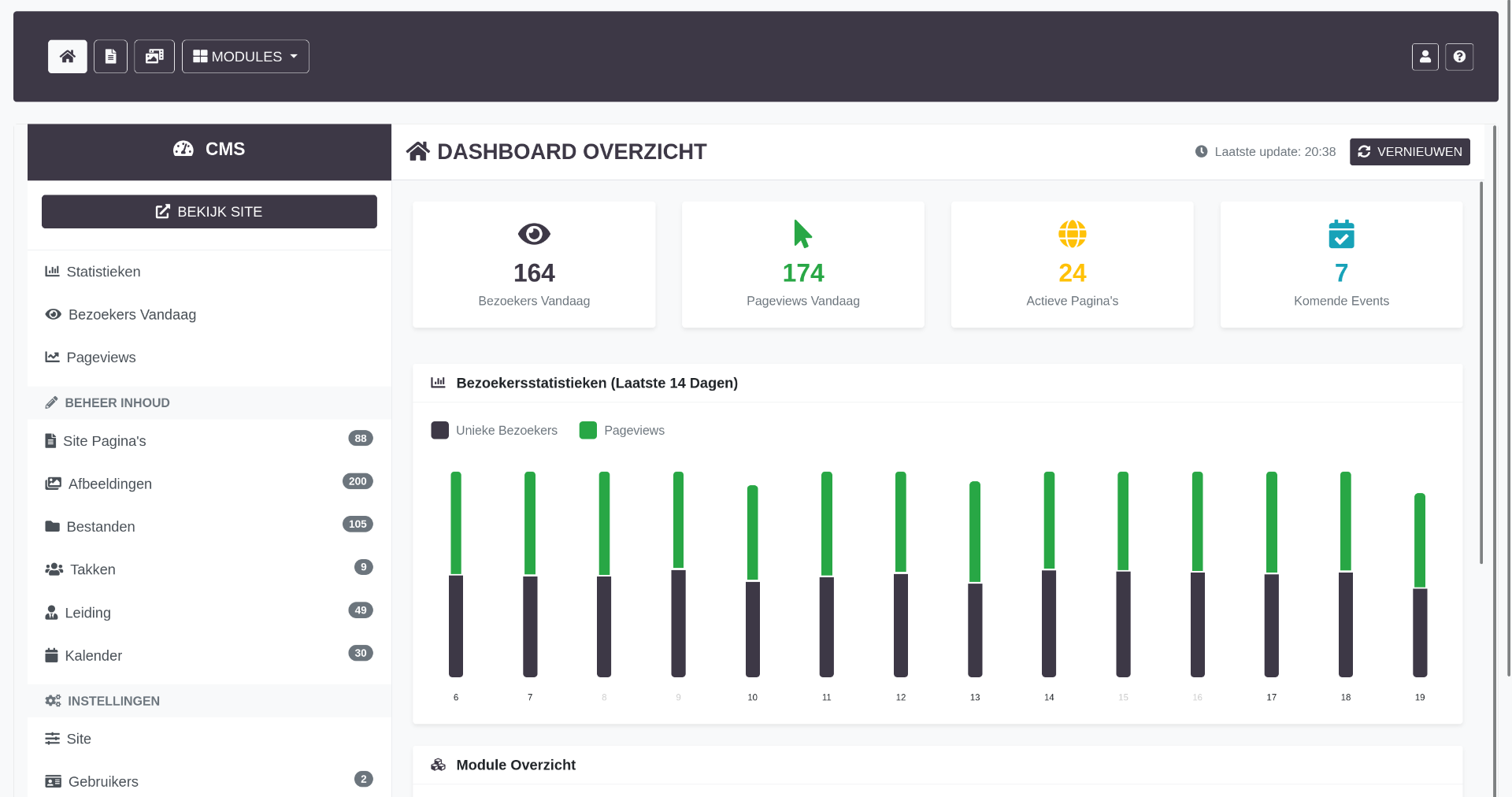
1. Dashboard Module
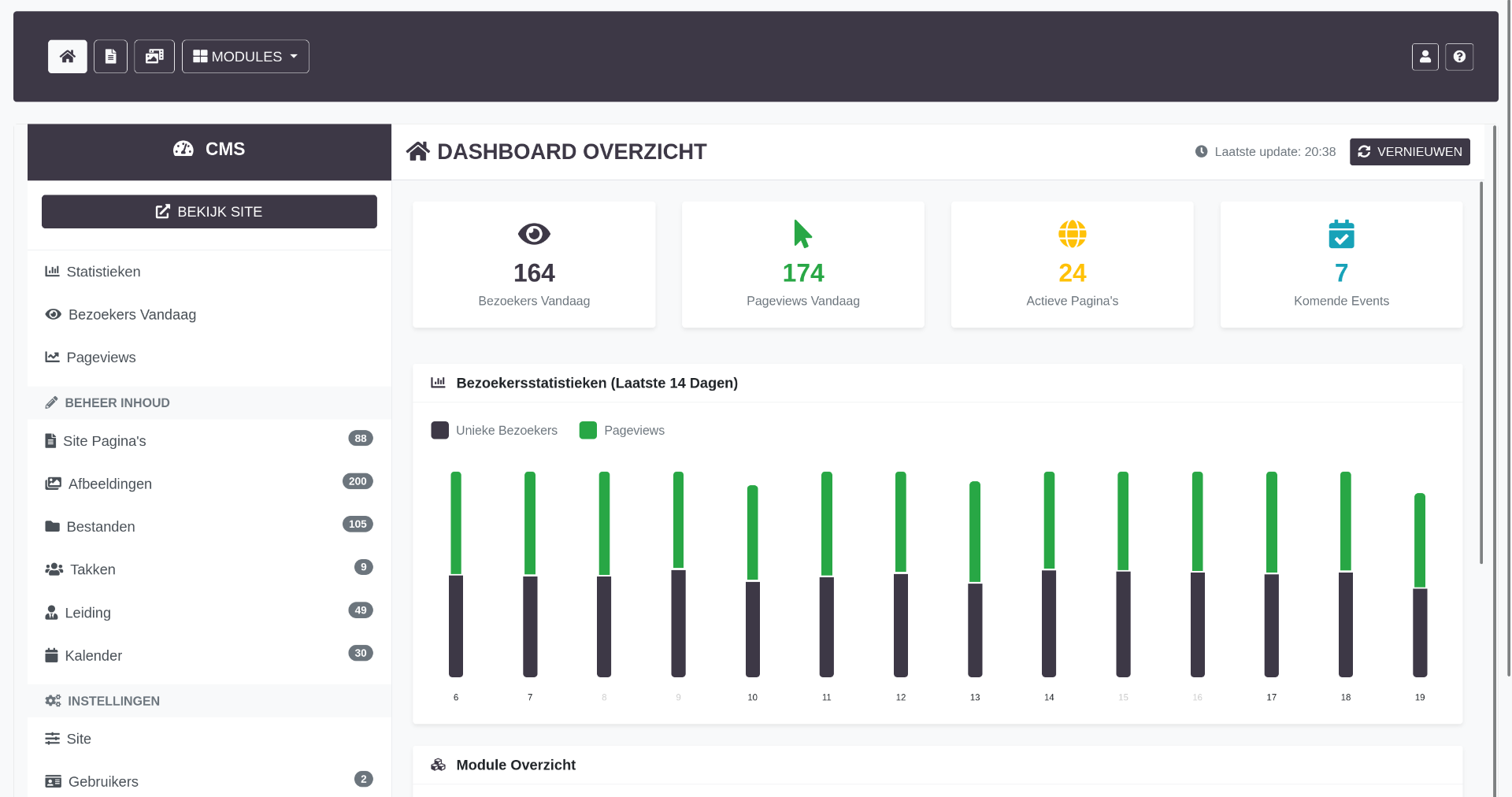
Central hub displaying real-time statistics and quick access to all CMS functions. The dashboard provides an overview of content status, recent activity, and system health.
Dashboard Features
- Real-time content statistics (total pages, active pages, total images, files, events)
- Quick action buttons for common tasks
- Recent activity feed showing latest content changes
- System status indicators
- User session information
- Module access cards with direct navigation
Technical Implementation
- Dynamic data loading using prepared statements
- Real-time count aggregation from multiple database tables
- Responsive card-based layout with Bootstrap grid
- AJAX updates for statistics without page reload
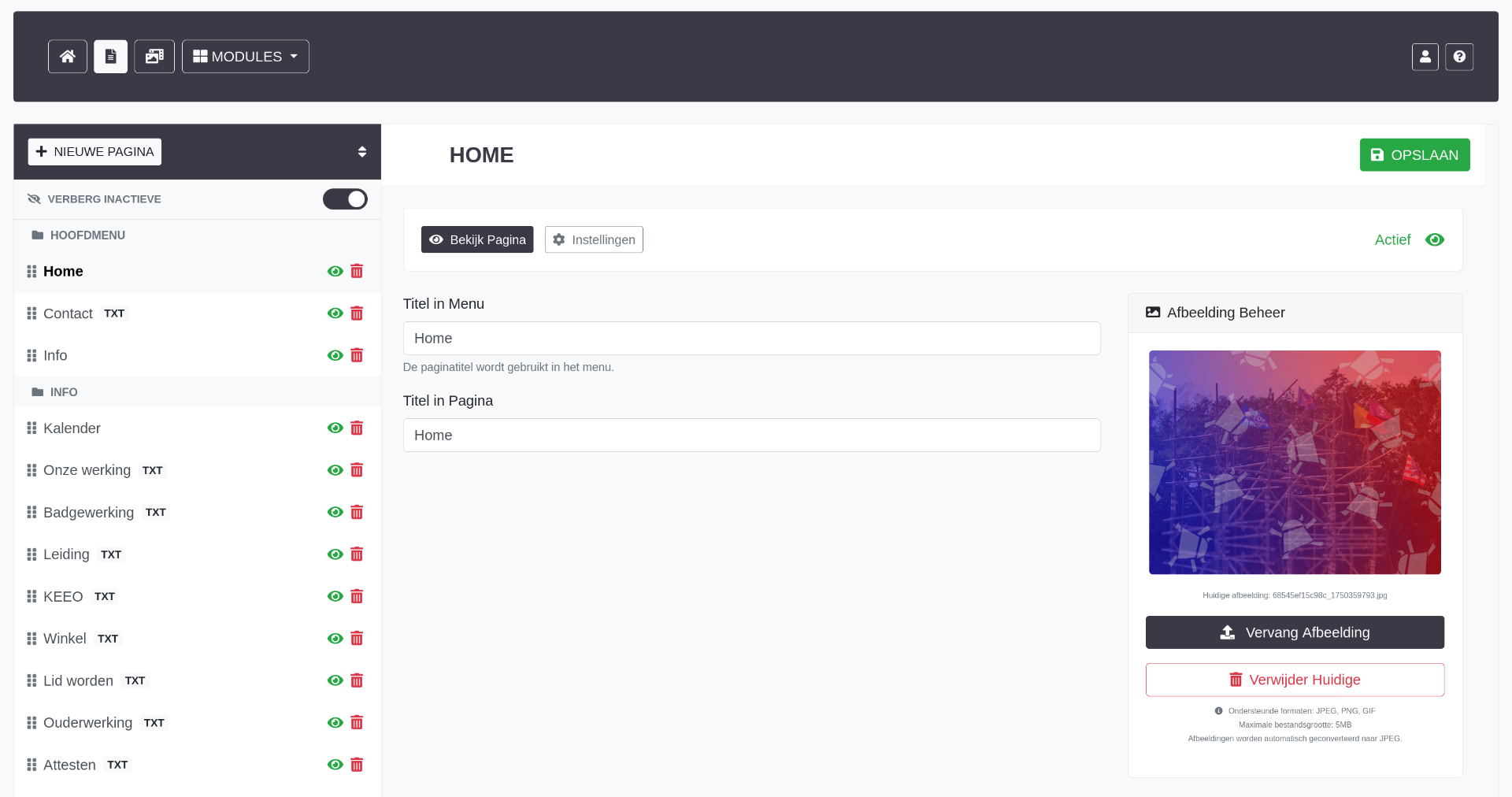
2. Page Management Module (Paginas)
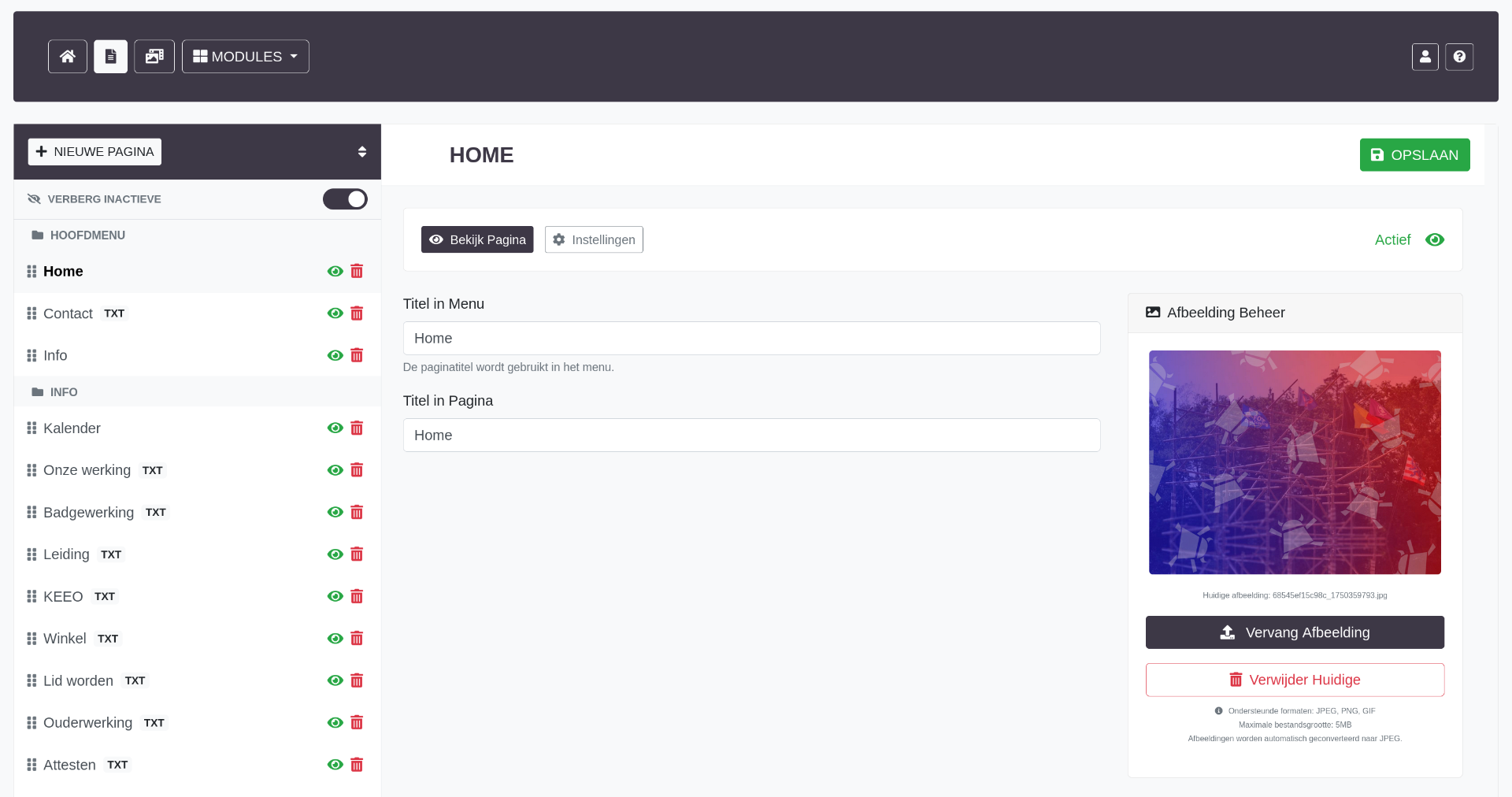
Comprehensive page management system with hierarchical structure, drag-and-drop reordering, and flexible content modules. Handles the entire website structure including navigation menus and subpage relationships.
Page Management Features
- Hierarchical Page Structure - Parent/child relationships with unlimited nesting
- Menu Segment Organization - Pages grouped into navigation segments (menus)
- Drag-and-Drop Reordering - jQuery UI sortable for intuitive page ordering
- Visibility Controls - Active/inactive status, show/hide in navigation
- SEO Management - Custom URLs, meta descriptions, page titles
- Content Modules - Flexible page items system for varied layouts
- Version Control - Track changes and modifications
Page Content System
Each page can contain multiple content items (modules) of different types:
- Text Modules - Rich text content with WYSIWYG editor
- Image Modules - Single or multiple images with captions
- Gallery Modules - Photo galleries with lightbox functionality
- Video Modules - Embedded video content
- Custom HTML Modules - Advanced users can add custom code
Technical Implementation
- Three-level hierarchy: Segments (menus) -> Pages -> Subpages
- AJAX-based page tree with real-time updates
- Position tracking with automatic reordering on drag-drop
- URL slug generation with uniqueness validation
- Modal-based editing interface for quick updates
- TinyMCE integration with custom toolbar and plugins
- Image handling with automatic resizing and optimization
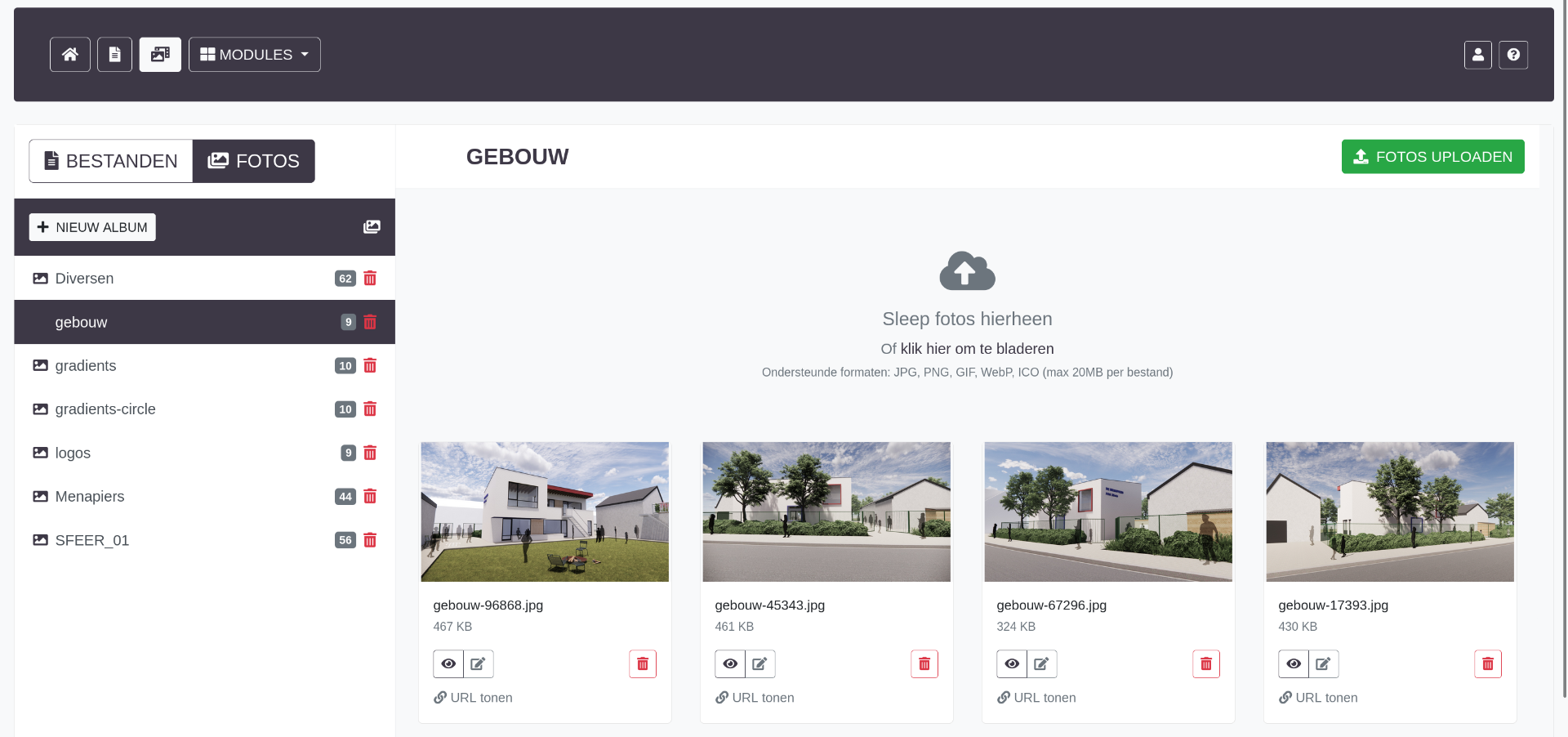
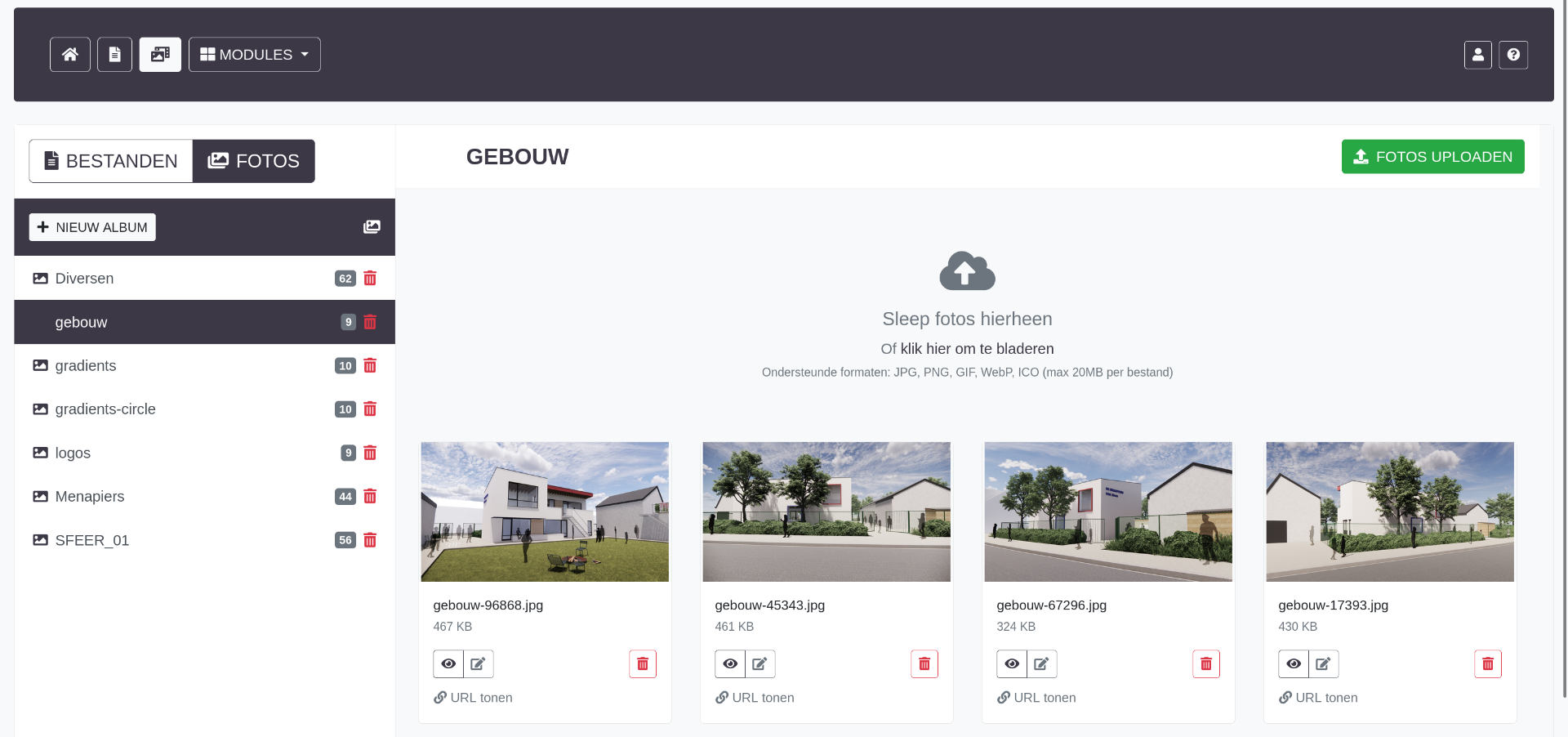
3. Media Library Module
Centralized asset management system for all images and files used across the website. Supports categorization, batch uploads, and usage tracking.
Media Library Features
- Dual Media Types - Separate management for images (md_imgs) and files (md_fils)
- Category Organization - Custom categories with color coding
- Batch Upload - Multiple file upload with progress tracking
- Drag-and-Drop Upload - Modern HTML5 drag-drop interface
- Image Optimization - Automatic resizing and compression
- Usage Tracking - Track where media is used across the site
- Grid/List Views - Multiple viewing options for browsing
- Quick Preview - Hover or click preview functionality
- Bulk Operations - Move, delete, or categorize multiple items
File Management
- PDF, DOC, ZIP, and other document types supported
- File size tracking and limits
- Download counter
- MIME type validation
Technical Implementation
- jQuery File Upload plugin for advanced upload features
- AJAX-based drag-and-drop with visual feedback
- Progress bars for upload status
- Server-side validation and security checks
- Sortable media grid with jQuery UI
- Modal-based image editor
- Database tracking of file metadata
4. Calendar System Module (Kalender)
Full-featured event management system with scheduling, recurring events, and export capabilities. Integrates with external calendar applications.
Calendar Features
- Event Scheduling - Create, edit, delete events with date/time management
- Recurring Events - Support for daily, weekly, monthly patterns
- Event Categories - Color-coded categorization for different event types
- Calendar Views - Month, week, day, and agenda views
- iCalendar Export - Generate .ics files for external calendar apps
- Event Details - Location, description, contact information
- Visibility Controls - Public/private event settings
- Event Search - Filter and search functionality
Date/Time Handling
- European date format (DD-MM-YYYY) with conversion to MySQL format
- 24-hour time format (HH:MM)
- All-day event support
- Start and end time validation
- Timezone handling
Technical Implementation
- Custom date/time conversion functions (convertDateFormat, convertTimeFormat)
- Calendar generation with PHP date manipulation
- AJAX event loading for dynamic calendar updates
- iCalendar format generation for exports
- Recurring event logic with date calculation
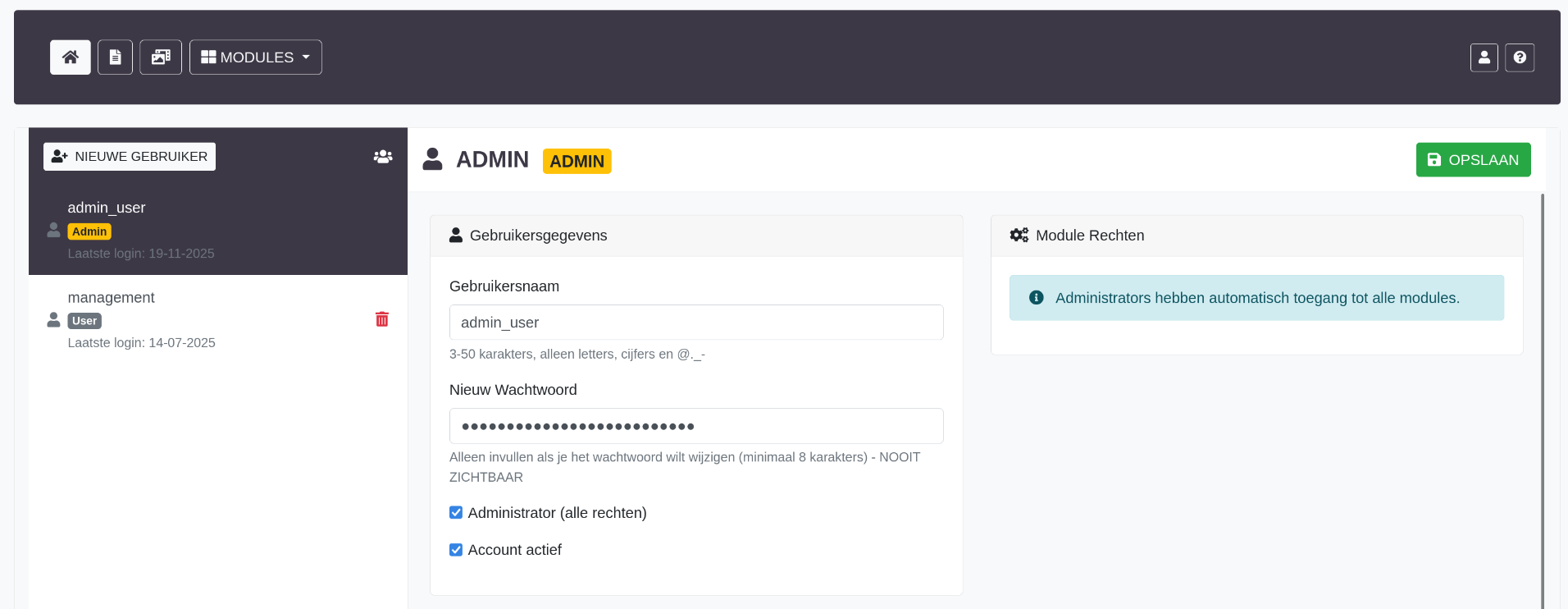
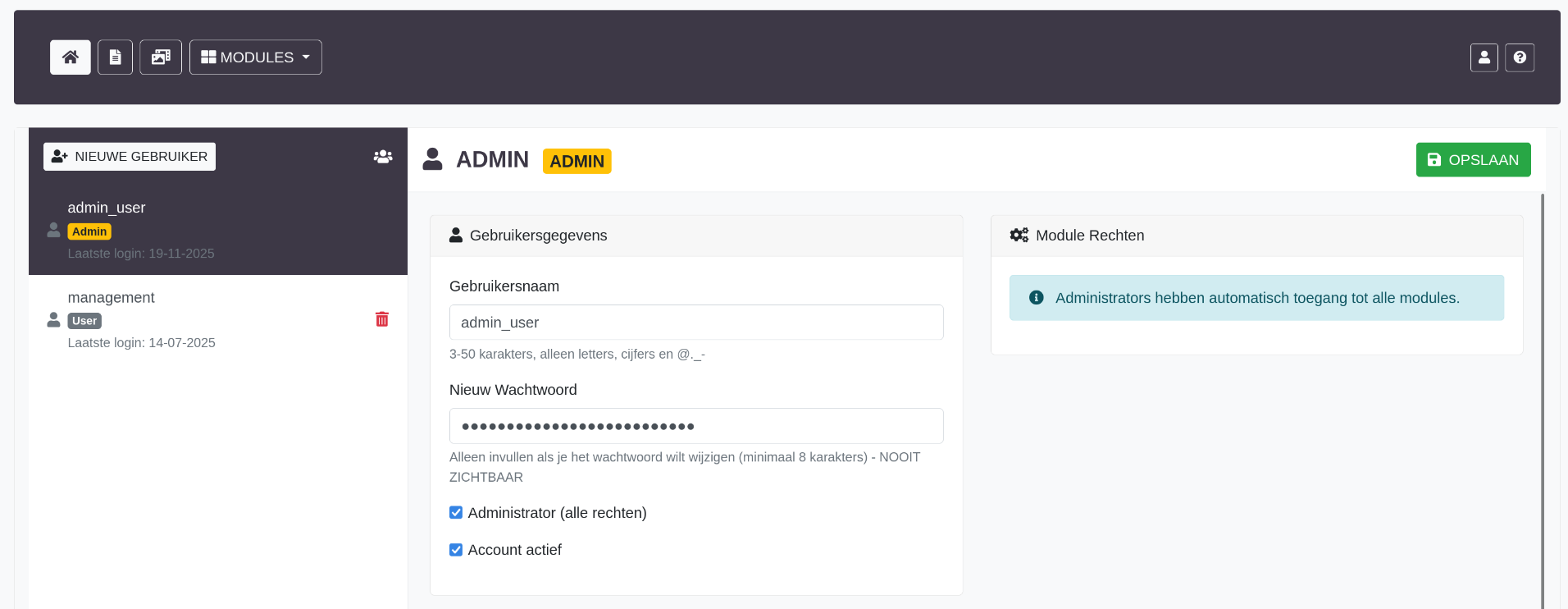
5. User Management Module (Gebruikers)
Complete user administration system with role-based permissions, activity tracking, and security features.
User Management Features
- User CRUD Operations - Create, read, update, delete user accounts
- Role Management - Multiple permission levels
- Activity Tracking - Last login, login IP, failed attempts
- Force Password Reset - Admin-initiated password change requirement
- Session Management - View and terminate active sessions
- User Statistics - Login history and activity reports
Security Features
- Failed login attempt counter with automatic lockout
- Last failed attempt timestamp tracking
- IP address logging for security auditing
- Token-based session management with expiration
- Secure password reset workflow
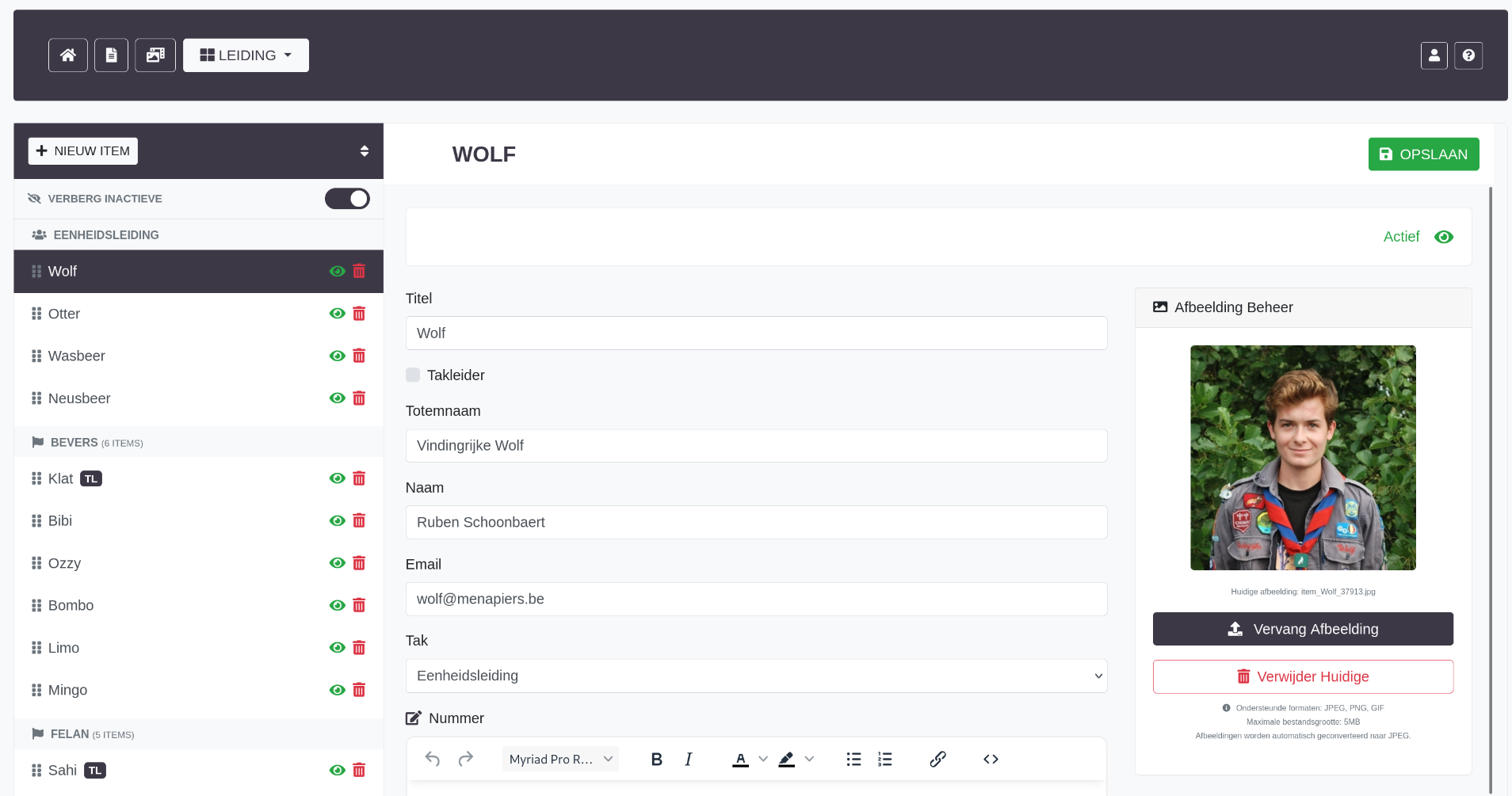
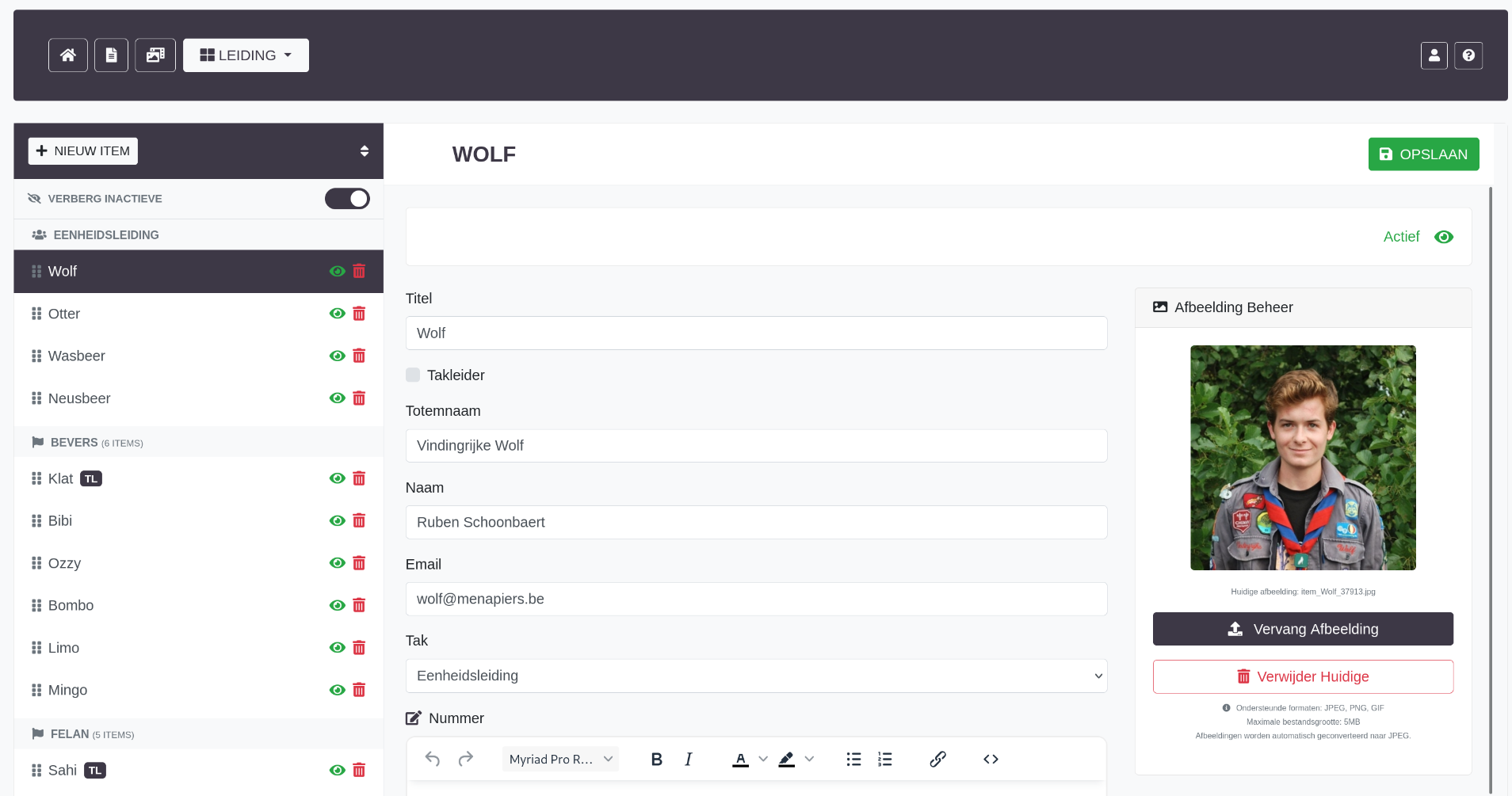
6. Team Management Module (Leiding)
Manage organization leadership and staff member profiles displayed on the public website.
Team Features
- Member Profiles - Name, role, bio, photo
- Group Assignment - Assign members to different teams/sections
- Position Ordering - Control display order on website
- Contact Information - Email, phone, social media links
- Photo Management - Profile pictures with automatic cropping
- Visibility Controls - Show/hide individual members
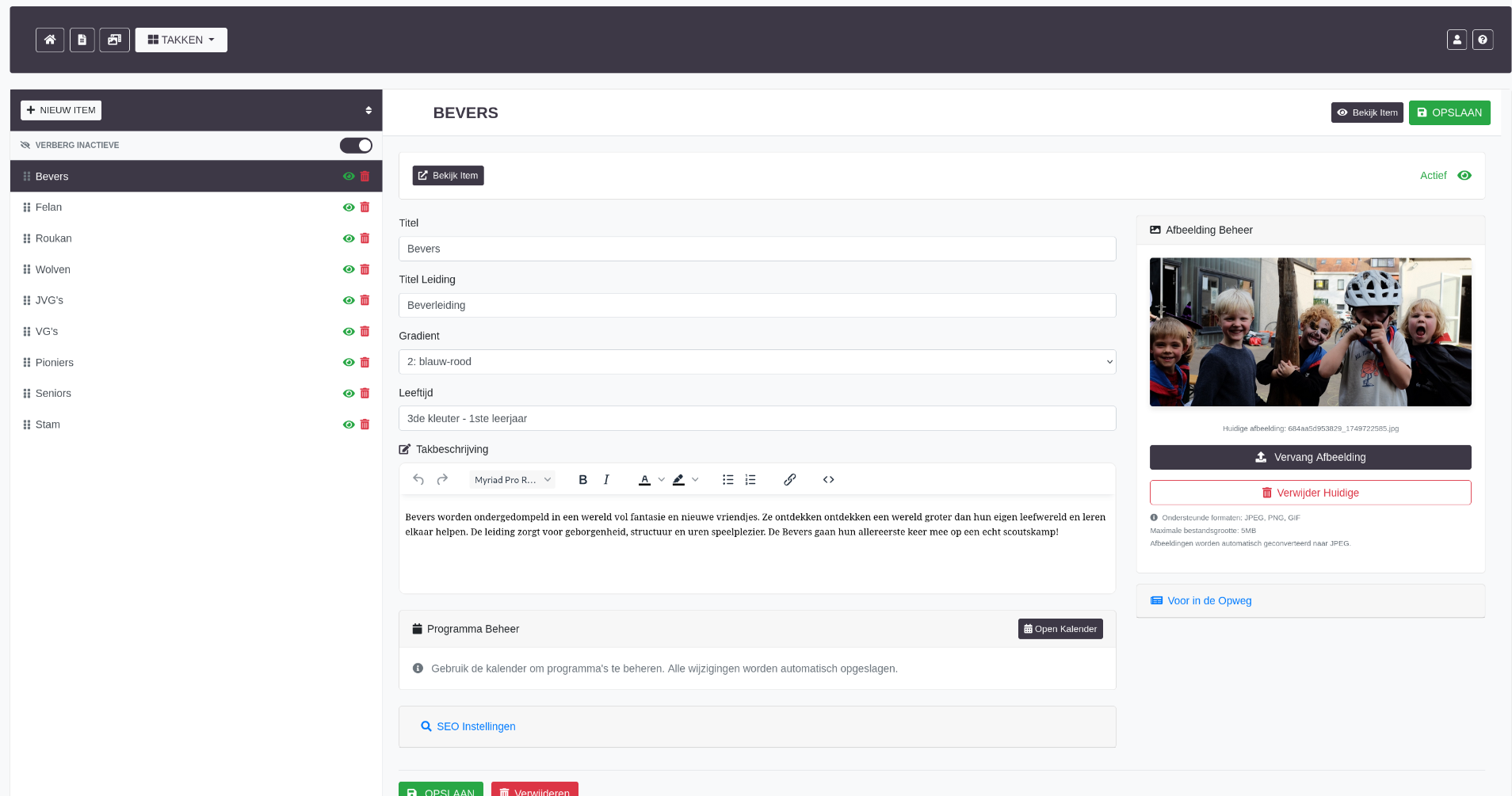
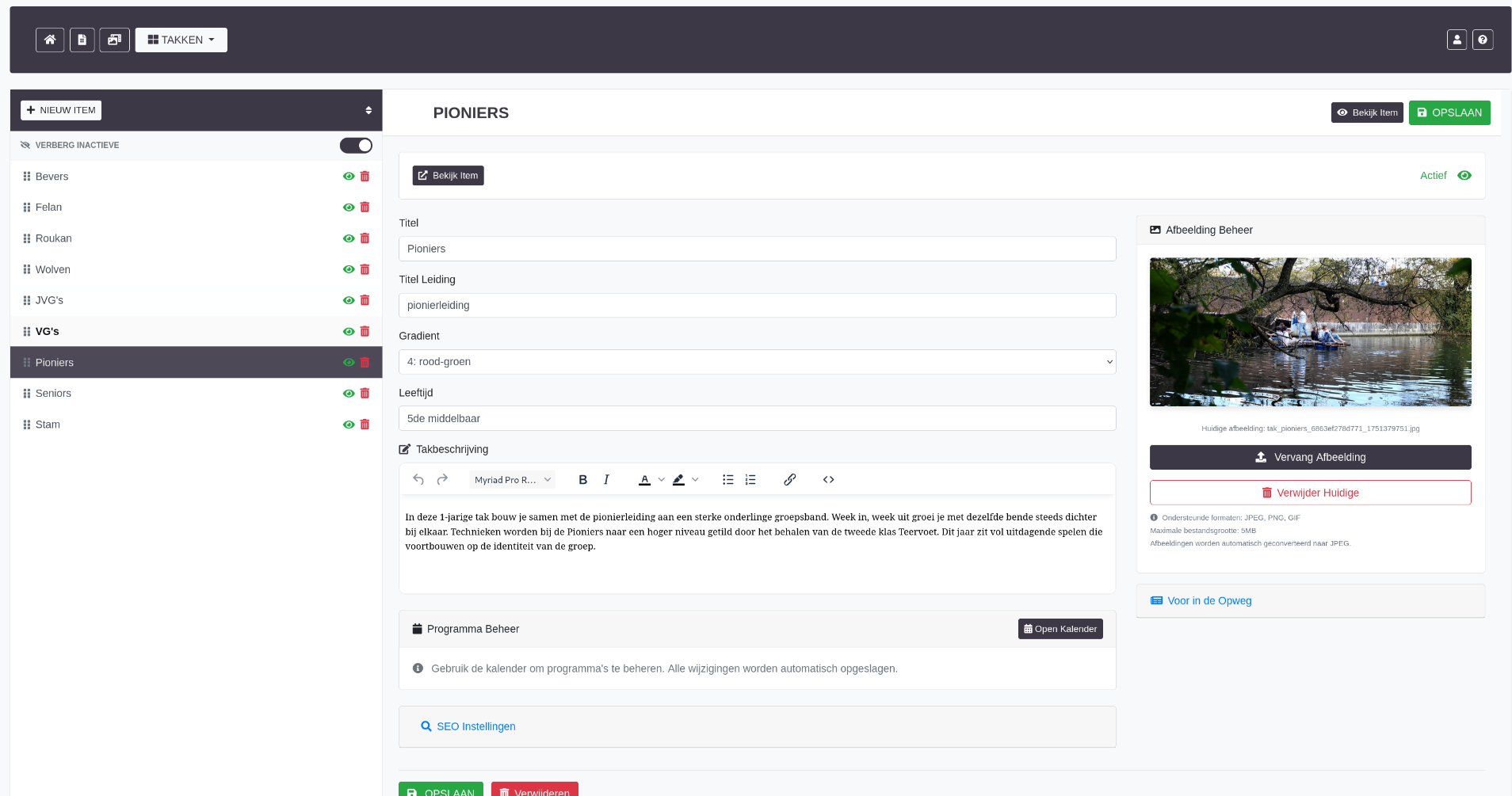
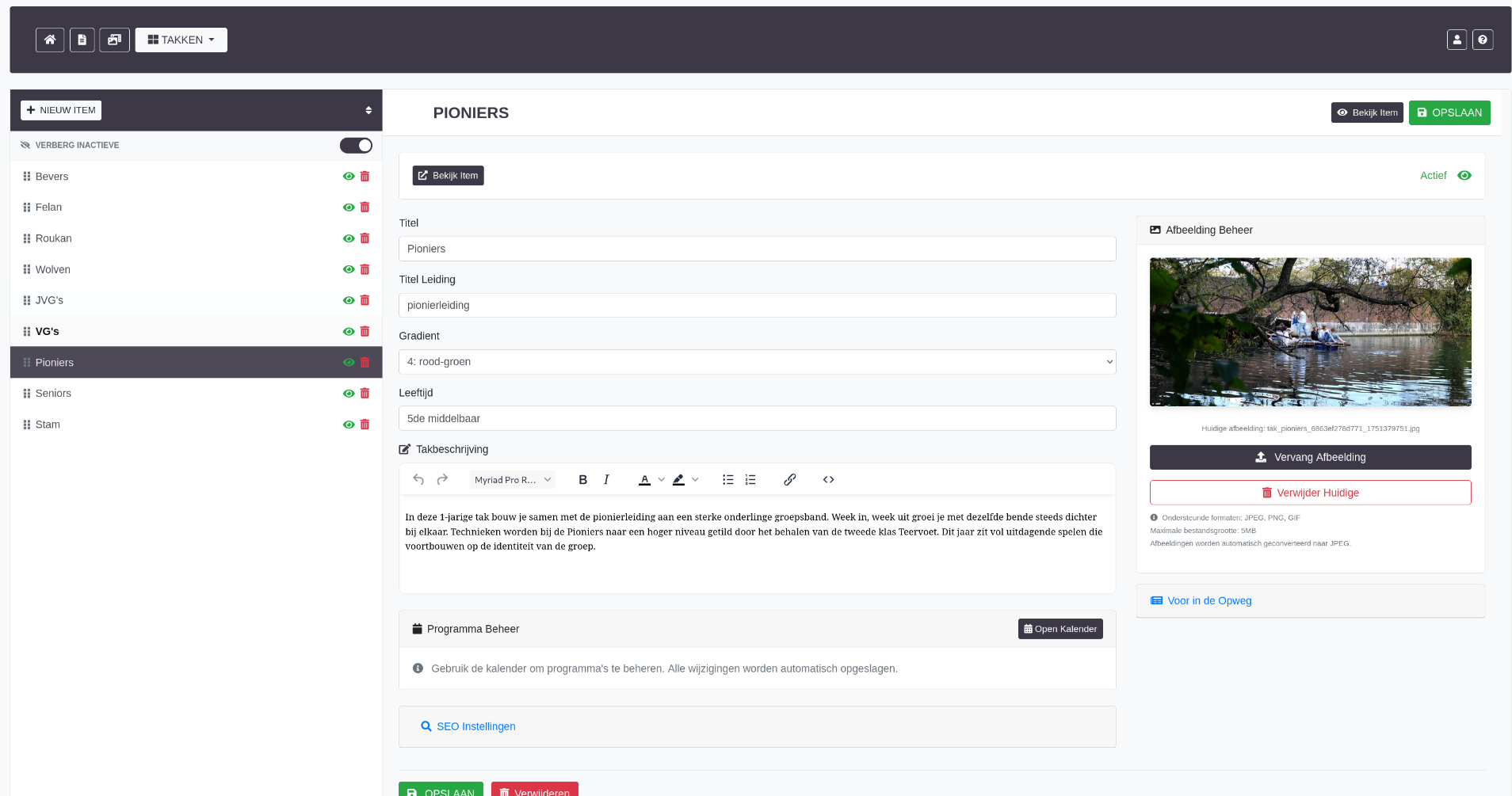
7. Groups Module (Takken)
Management system for different youth groups/sections within the organization (age-based divisions common in scout organizations).
Group Features
- Group Profiles - Name, description, age range, meeting times
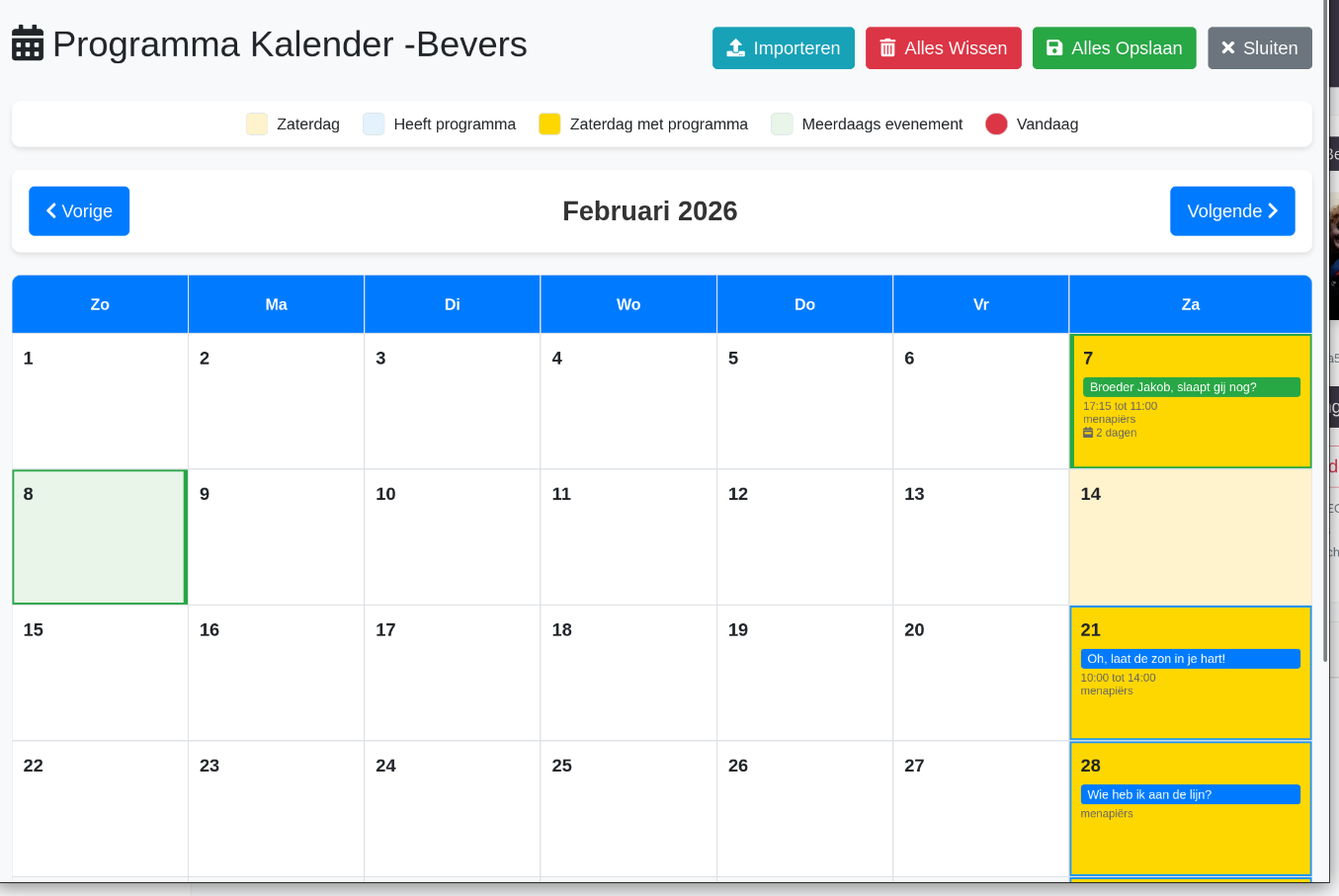
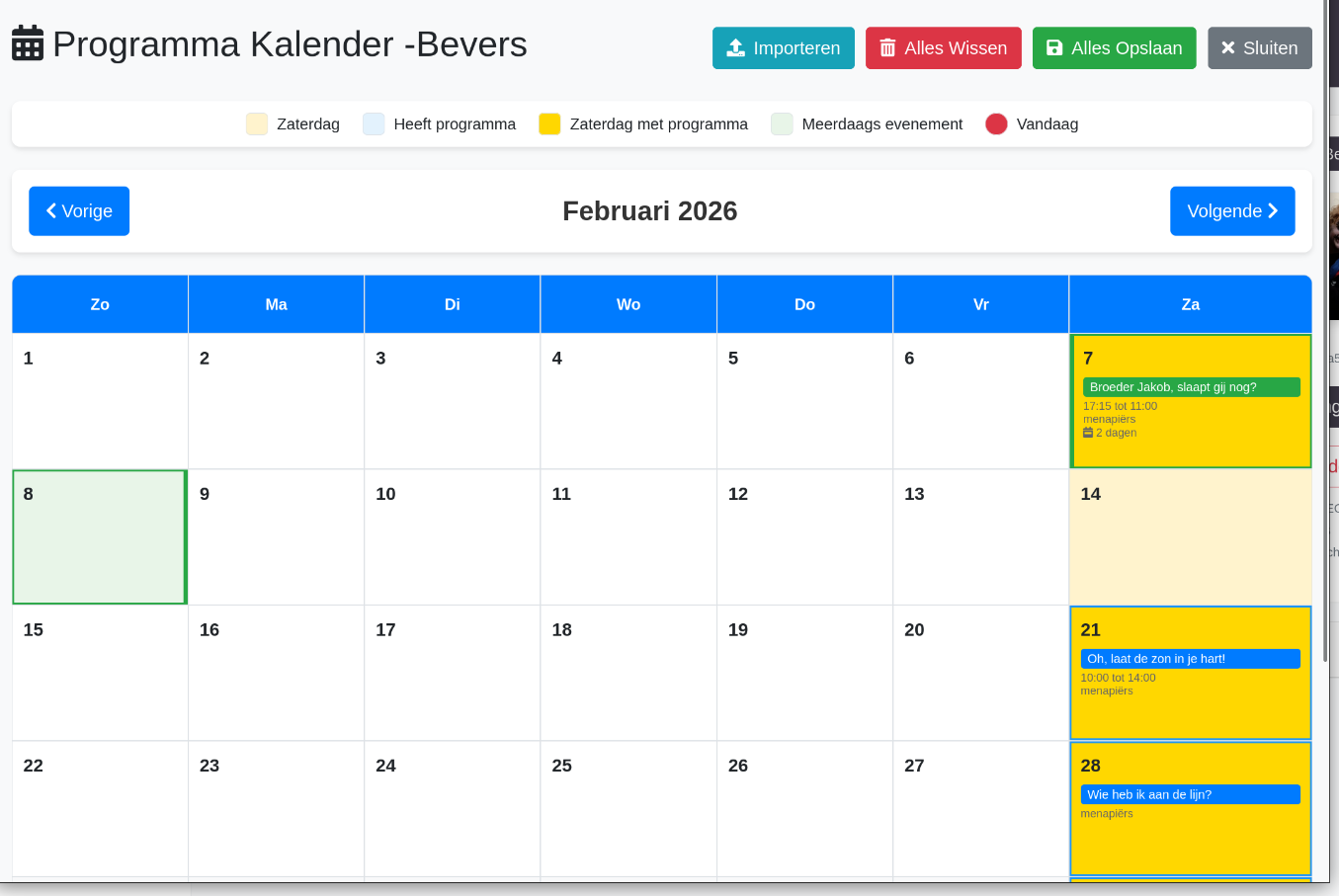
- Program Calendar - Activity schedules specific to each group
- Import/Export - Bulk program import functionality
- Calendar Integration - Group events in main calendar
Technical Implementation
- Program calendar with CSV import capability
- AJAX-based program management
- Integration with main calendar system
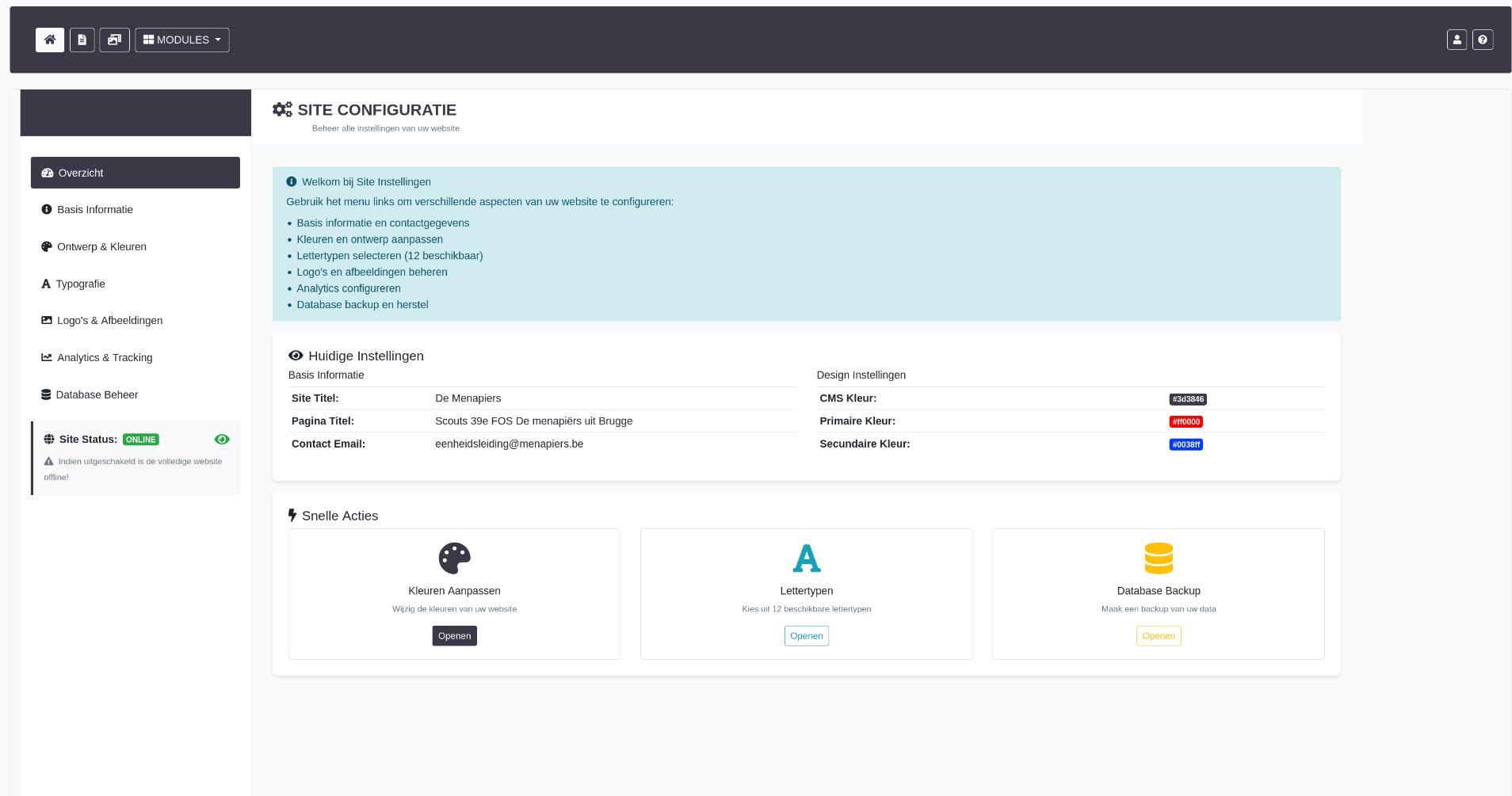
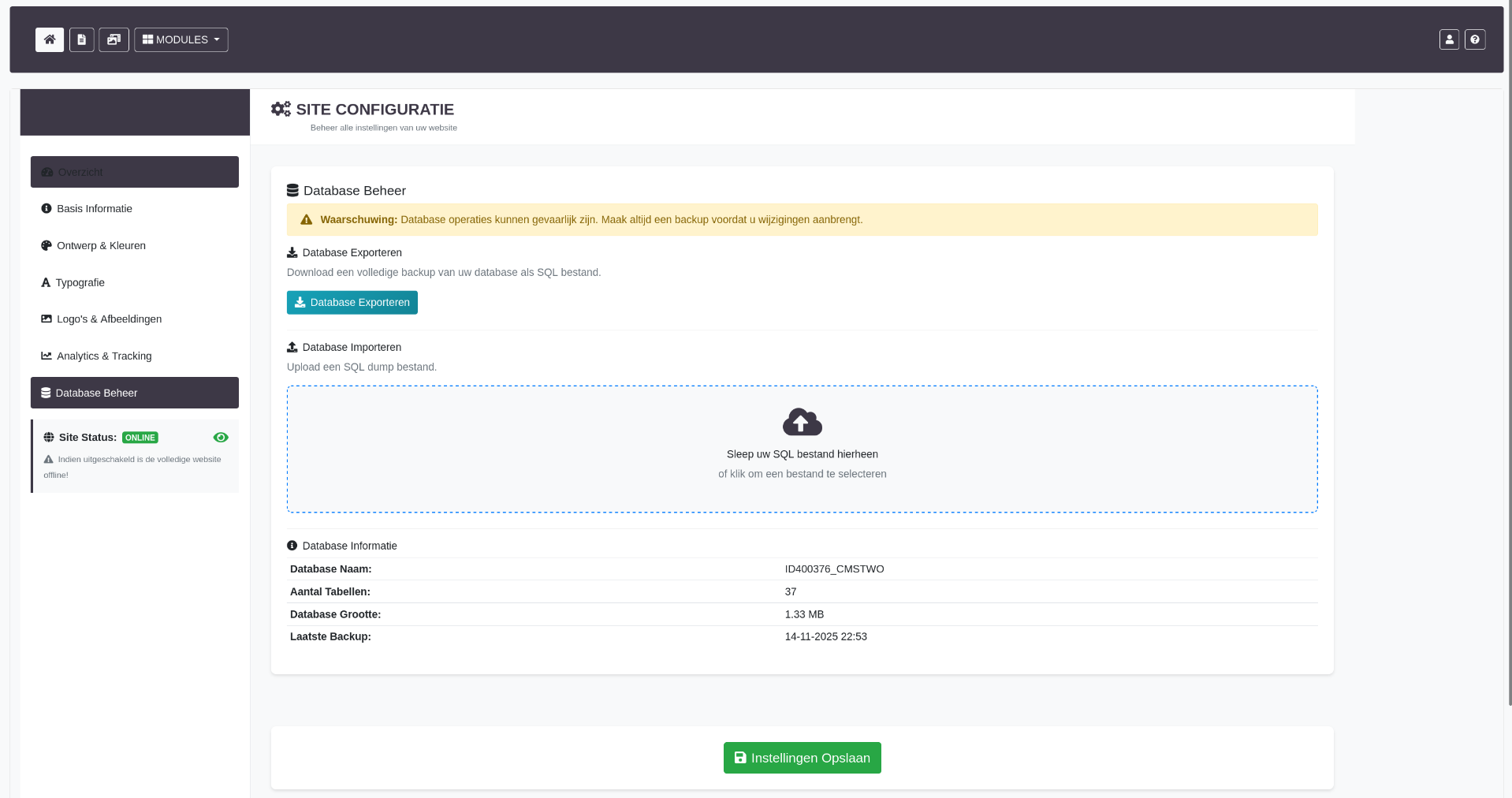
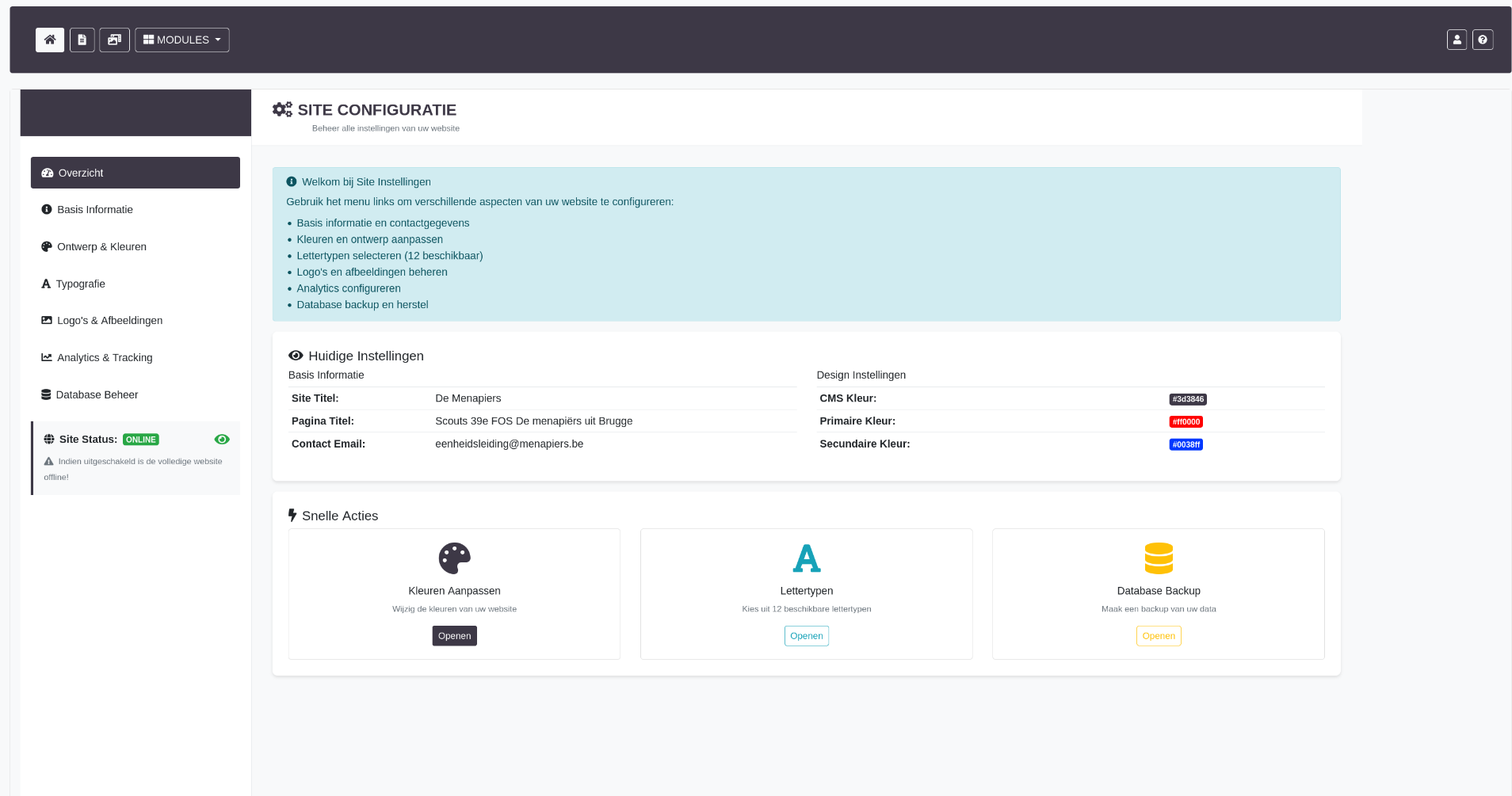
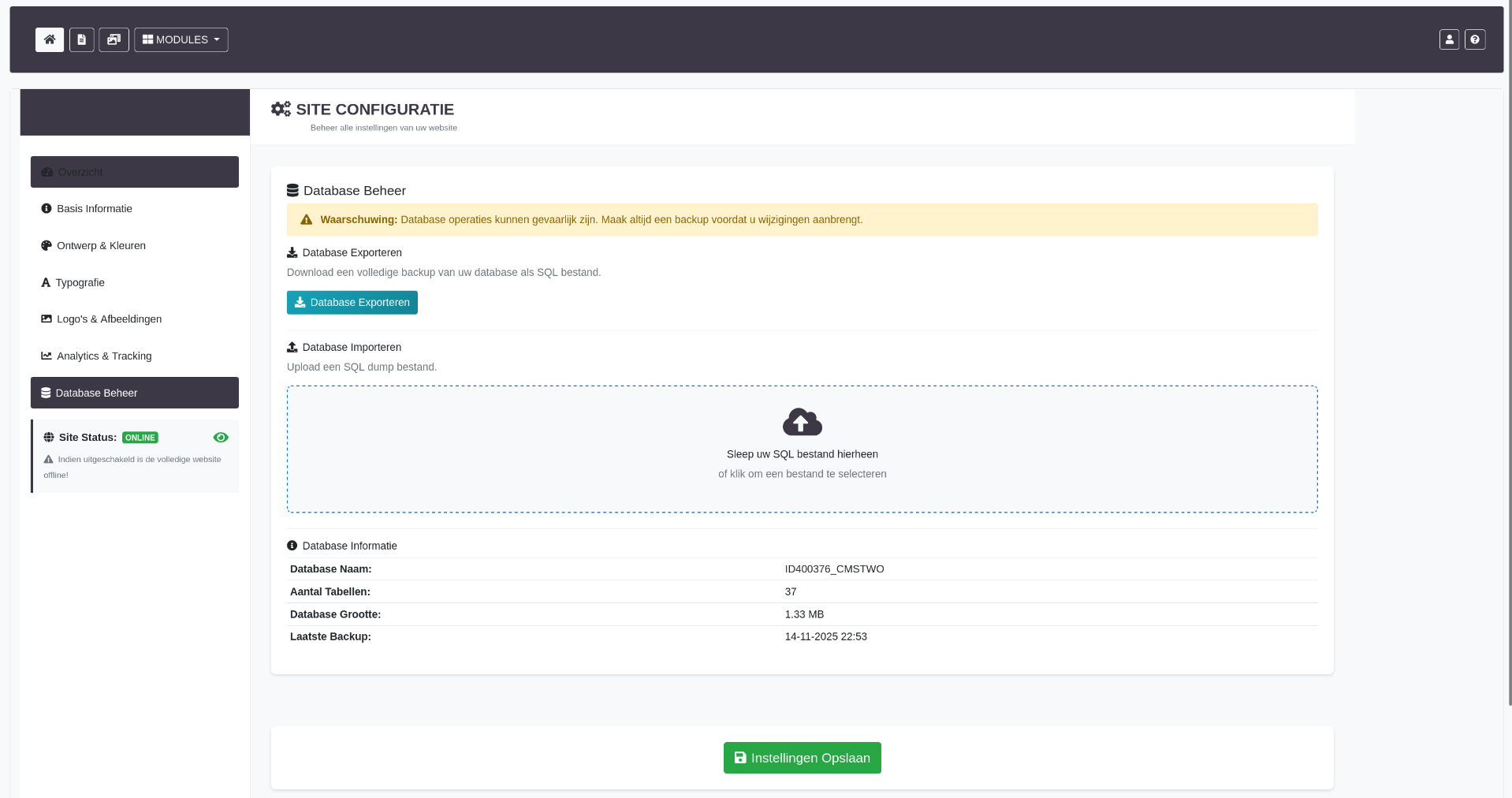
8. Site Settings Module
Global website configuration and customization options.
Settings Features
- Site Information - Name, tagline, contact details
- Google Analytics - GA4 property ID and service key configuration
- Social Media - Links to organization's social profiles
- SEO Settings - Default meta descriptions, keywords
- Email Configuration - SMTP settings for notifications
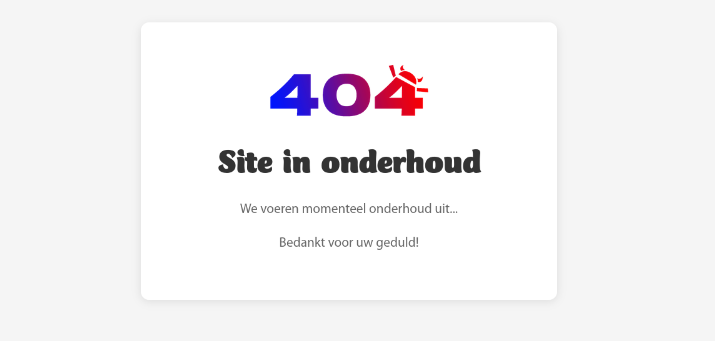
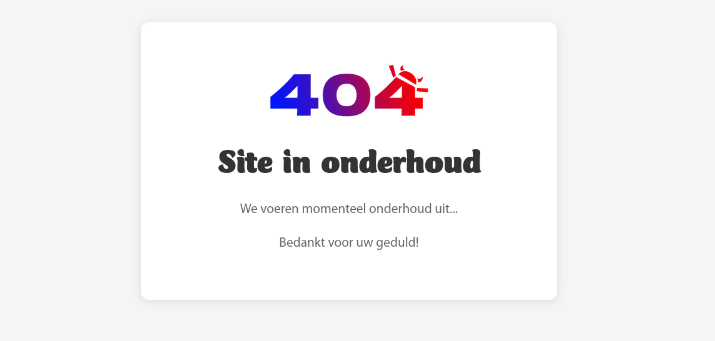
- Maintenance Mode - Enable/disable site access
Technical Implementation
- Google Analytics API integration with service account authentication
- Secure storage of API credentials (JSON service key)
- Test connection functionality for API verification
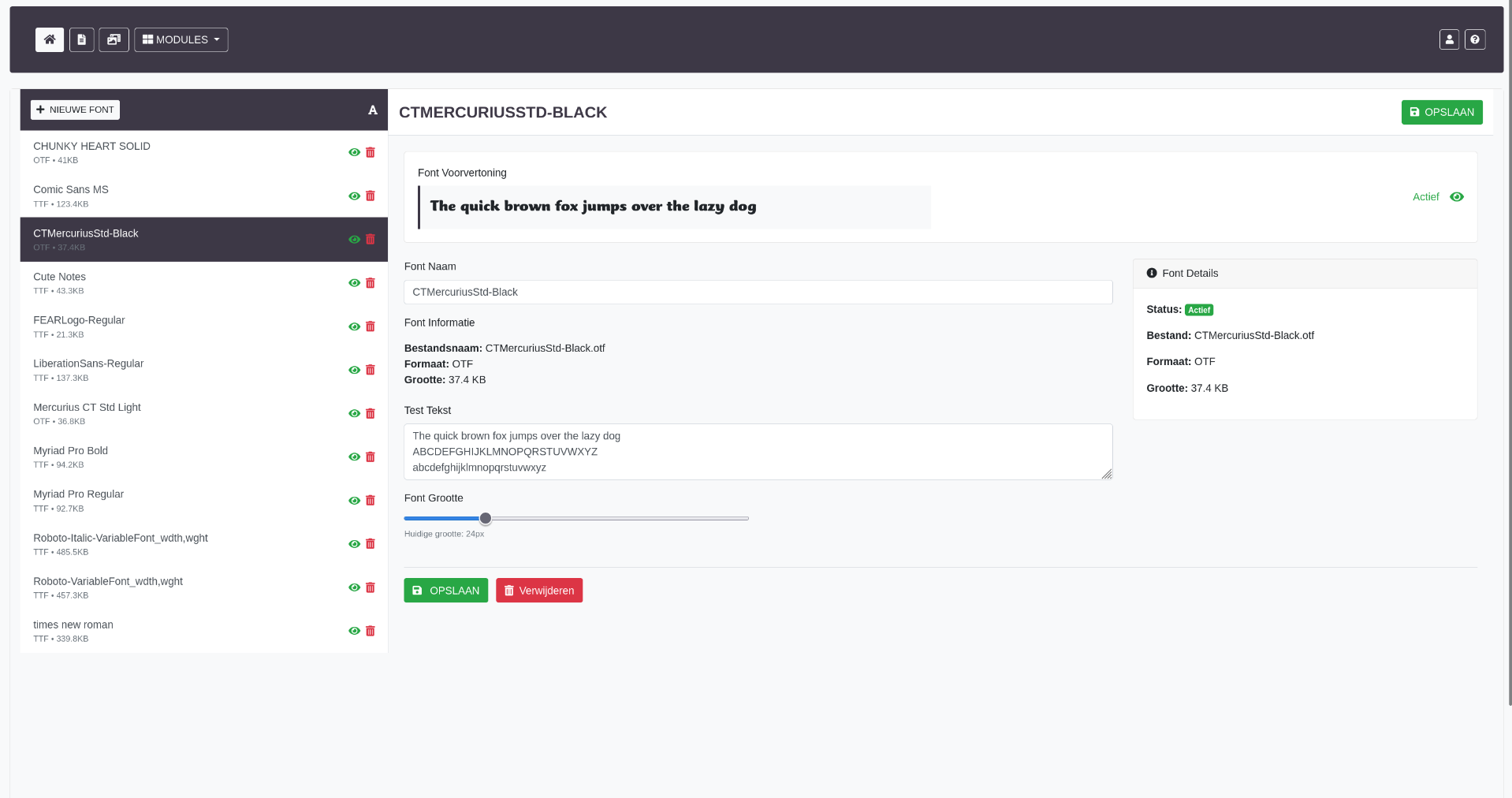
9. Typography Module (Fonts)
Advanced font management system with Google Fonts integration for website customization.
Typography Features
- Google Fonts Integration - Browse and select from Google Fonts library
- Font Preview - Real-time preview of fonts with sample text
- Active Font Control - Enable/disable fonts on website
- Font Categories - Heading fonts, body fonts, accent fonts
- Weight Selection - Choose font weights (regular, bold, etc.)
- Font Pairing - Recommendations for complementary fonts
Technical Implementation
- Google Fonts API for font discovery
- Dynamic CSS generation for active fonts
- Font loading optimization
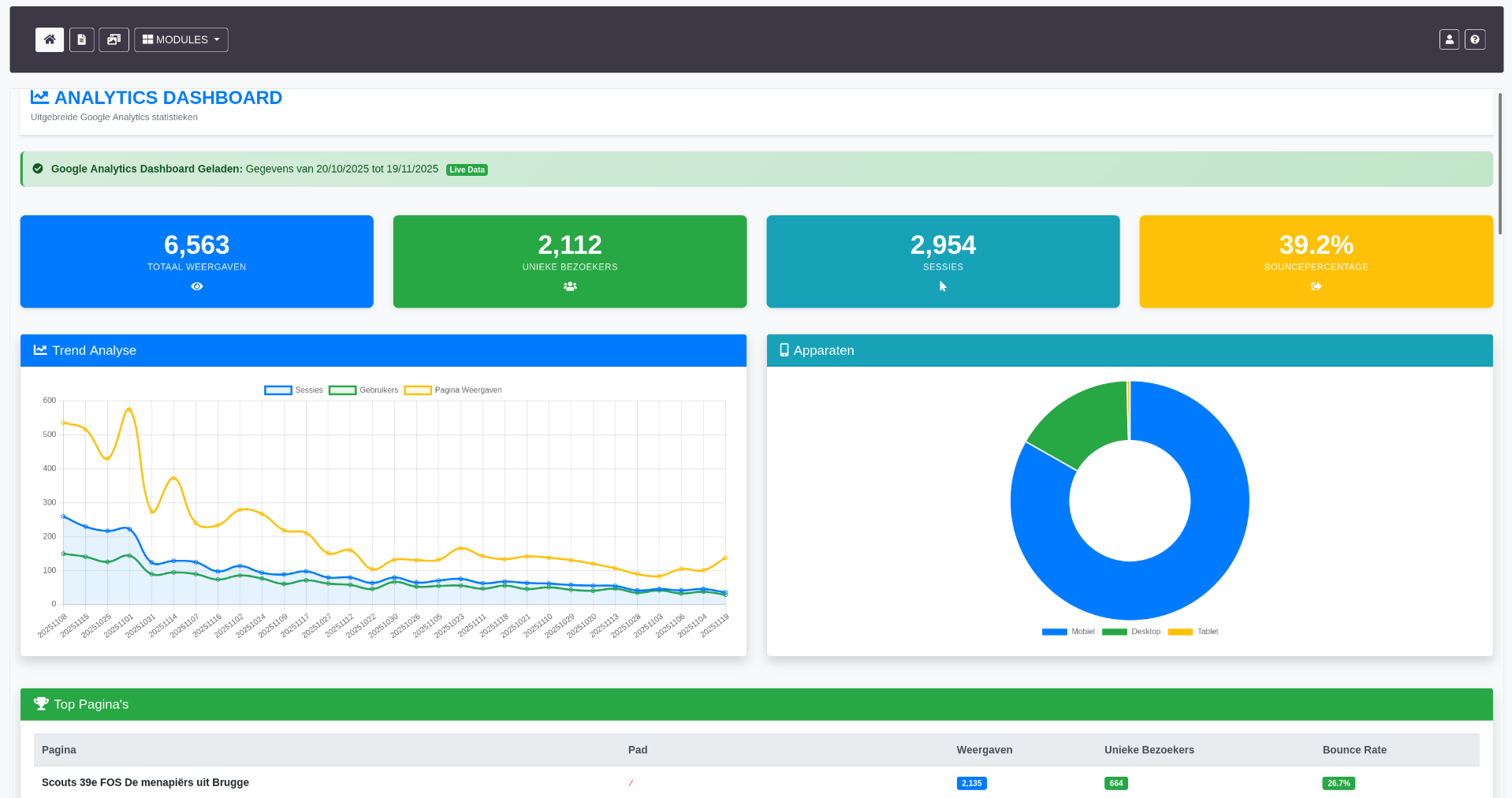
10. Statistics Module (Statistieken)
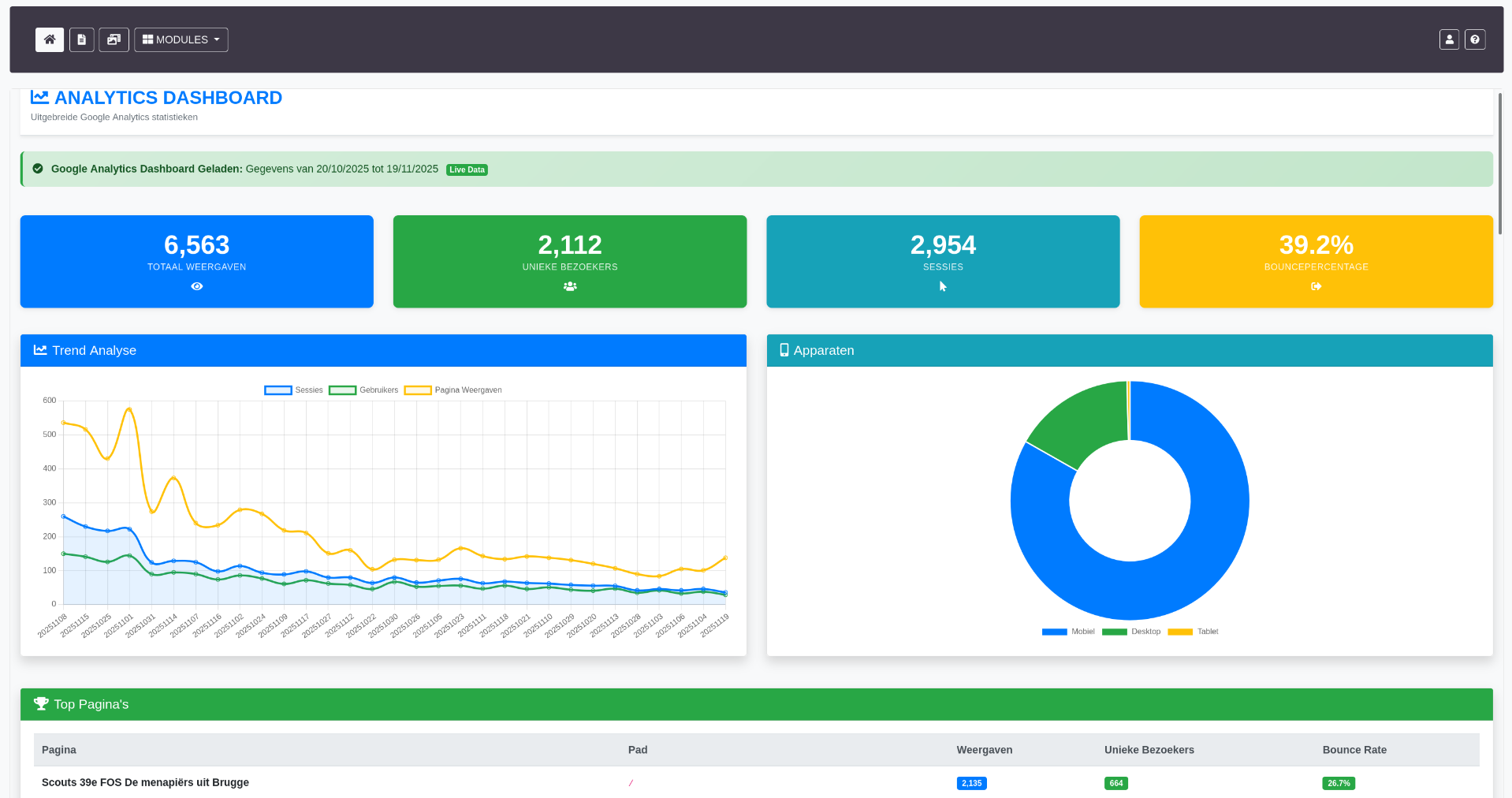
Comprehensive analytics dashboard integrating Google Analytics 4 data directly into the CMS.
Statistics Features
- Real-time Visitors - Current active users on website
- Traffic Overview - Sessions, users, pageviews, bounce rate
- Page Performance - Most visited pages with detailed metrics
- Traffic Sources - Referral sources, direct traffic, search engines
- Device Analytics - Desktop, mobile, tablet breakdowns
- Geographic Data - Visitor locations and countries
- Custom Date Ranges - Flexible reporting periods
- Charts and Graphs - Visual data representation
Google Analytics 4 Integration
- Service account authentication with JSON key
- OAuth 2.0 token generation
- Google Analytics Data API v1 beta integration
- Multiple report types (overview, pages, traffic sources)
- Data caching for performance
- Error handling and fallback displays
Technical Implementation
- PHP functions for Google API communication (getGoogleAccessToken, getGoogleAnalyticsData)
- JWT token generation for service account authentication
- CURL requests to GA4 API endpoints
- Data parsing and formatting for display
- Chart.js or similar for data visualization
11. Social Media Module
Integration and management of social media feeds and content.
Social Media Features
- Feed Integration - Display social media posts on website
- Multi-platform Support - Facebook, Instagram, Twitter integration
- Post Management - Curate which posts appear on site
- Embed Controls - Customize appearance of social widgets
12. Labels/Tags Module
Taxonomy system for organizing and categorizing content across the CMS.
Label Features
- Tag Creation - Create custom tags/labels
- Color Coding - Visual identification with colors
- Content Association - Assign labels to pages, events, media
- Filter by Label - Quick content filtering
- Usage Statistics - See how many items use each label
13. Help System Module (Hulp)
Built-in documentation and help system for CMS users.
Help Features
- Module Documentation - Detailed guides for each CMS section
- Video Tutorials - Embedded instructional videos
- FAQ Section - Common questions and answers
- Search Functionality - Find help topics quickly
- Contextual Help - Help links within each module
Help Topics Include
- Dashboard overview and navigation
- Media library usage guide
- Social media integration setup
- Typography and design customization
- Analytics configuration and interpretation
- Content flexibility and modules
Advanced Technical Features
WYSIWYG Editor Integration
TinyMCE 6.8 implementation with custom configuration and extensions for content editing.
Editor Features
- Custom toolbar with commonly used formatting options
- Media picker integration with CMS media library
- Table creation and editing
- Link management with validation
- HTML source code editing for advanced users
- Paste from Word with cleanup
- Character and word count
- Spell checking
- Custom CSS classes for styled content
Technical Implementation
- Custom TinyMCE configuration in wysiwyg-editor.js
- Plugin integration (media, table, link, code)
- Custom image browser connecting to media library
- Content sanitization on save
Drag-and-Drop Functionality
jQuery UI Sortable implementation throughout the CMS for intuitive content organization.
Sortable Elements
- Page Tree - Reorder pages and subpages
- Media Grid - Organize images and files
- Content Items - Arrange page modules
- Navigation Menus - Menu item ordering
Implementation Details
- Visual feedback during drag (helper element, placeholder)
- AJAX save of new positions
- Database position field updates
- Smooth animations and transitions
- Touch device support
AJAX Architecture
Extensive use of AJAX for dynamic, responsive user experience without full page reloads.
AJAX Operations
- Content loading and updating
- Form submissions with validation
- Real-time search and filtering
- Status toggles (active/inactive)
- Position updates from drag-drop
- File uploads with progress tracking
- Delete confirmations and actions
Implementation Pattern
- Central JavaScript file (cms-V2-main.js) with common AJAX functions
- Module-specific action_ajax.php files for handling requests
- JSON responses for data exchange
- Error handling and user feedback
- Loading indicators during operations
Responsive Design
Mobile-first responsive design approach ensuring usability across all devices.
Responsive Features
- Bootstrap 4 responsive grid system
- Mobile-optimized navigation (hamburger menus)
- Touch-friendly interface elements
- Responsive tables with horizontal scrolling
- Adaptive forms and input fields
- Media query breakpoints for optimal layouts
Device Optimization
- Desktop: Full sidebar navigation, multiple columns
- Tablet: Collapsible sidebar, adjusted spacing
- Mobile: Stacked layout, simplified navigation, larger touch targets
Performance Optimization
Database Optimization
- Indexing Strategy - Primary keys, foreign keys, and indexes on frequently queried columns
- Query Optimization - Efficient SQL queries with proper JOINs and WHERE clauses
- Prepared Statements - Reusable query templates for better performance
- Connection Pooling - Efficient database connection management
- Query Result Caching - Cache frequently accessed data
Frontend Performance
- Lazy Loading - Images and content loaded on demand
- Asset Minification - Compressed CSS and JavaScript
- CDN Usage - Bootstrap, jQuery, Font Awesome from CDN
- Image Optimization - Compressed images with appropriate formats
- Browser Caching - Cache headers for static assets
PHP Performance
- OPcache enabled for bytecode caching
- Session optimization with database storage
- Efficient loops and conditionals
- Minimal file includes
Development Approach & Code Quality
Coding Standards
- Consistent Naming Conventions - CamelCase for JavaScript, snake_case for PHP/SQL
- Code Documentation - Comments explaining complex logic
- DRY Principle - Reusable functions and components
- Separation of Concerns - Clear separation between presentation, logic, and data
- Error Handling - Try-catch blocks and proper error logging
Reusable Components
- Include Files - Shared PHP includes for headers, menus, scripts
- Function Library - Common functions in functions.php (goToPage, getCurPageUrl, etc.)
- CSS Classes - Reusable styles in cms-V2-main.css
Version Control
- Git repository with meaningful commit messages
- Branch strategy for feature development
- Commit history tracking changes and improvements
Technical Challenges Overcome
Challenge 1: Session Management
Problem: Complex session handling with token-based authentication across multiple devices and browsers.
Solution: Implemented database-backed session tokens with expiration tracking, IP address validation, and automatic cleanup of expired sessions.
Challenge 2: WYSIWYG Editor Customization
Problem: Integrating TinyMCE with custom media library and maintaining clean HTML output.
Solution: Custom TinyMCE plugins for media browser integration, content sanitization on save, and restricted HTML elements for consistency.
Challenge 3: Drag-and-Drop Performance
Problem: Smooth drag-drop experience with large lists while maintaining accurate position updates.
Solution: Optimized jQuery UI Sortable configuration, AJAX batch updates, and visual feedback during operations.
Challenge 4: Google Analytics Integration
Problem: Complex OAuth 2.0 authentication with service accounts and GA4 API structure.
Solution: Custom PHP functions for JWT token generation, secure credential storage, and comprehensive error handling for API failures.
Challenge 5: Responsive CMS Interface
Problem: Creating a content management interface that works well on tablets while optimized for desktop.
Solution: Bootstrap customization with module-specific media queries, collapsible sidebars, and touch-optimized controls.
Key Takeaways & Learning Outcomes
Technical Skills Demonstrated
- Full-stack web development (PHP, MySQL, JavaScript, HTML/CSS)
- Database design and normalization
- RESTful API development and integration
- Security best practices and implementation
- Responsive web design and mobile optimization
- Third-party API integration (Google Analytics, Google Fonts)
- User authentication and authorization systems
- File upload and media management
- AJAX and asynchronous programming
- Version control with Git
Soft Skills Demonstrated
- Client communication and requirements gathering
- Project planning and timeline management
- User training and documentation
- Problem-solving and debugging
- Attention to detail and code quality
Frontend changes
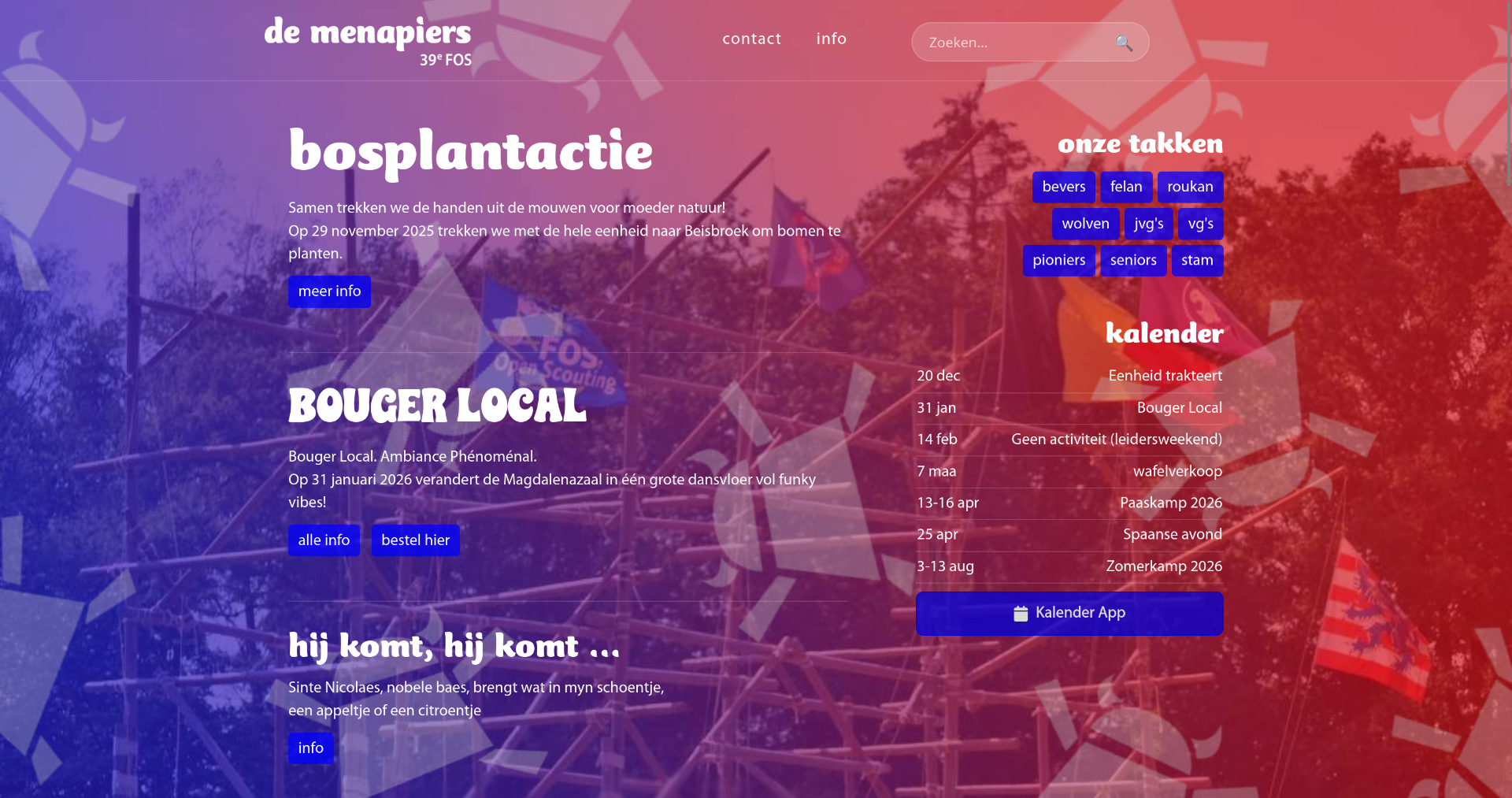
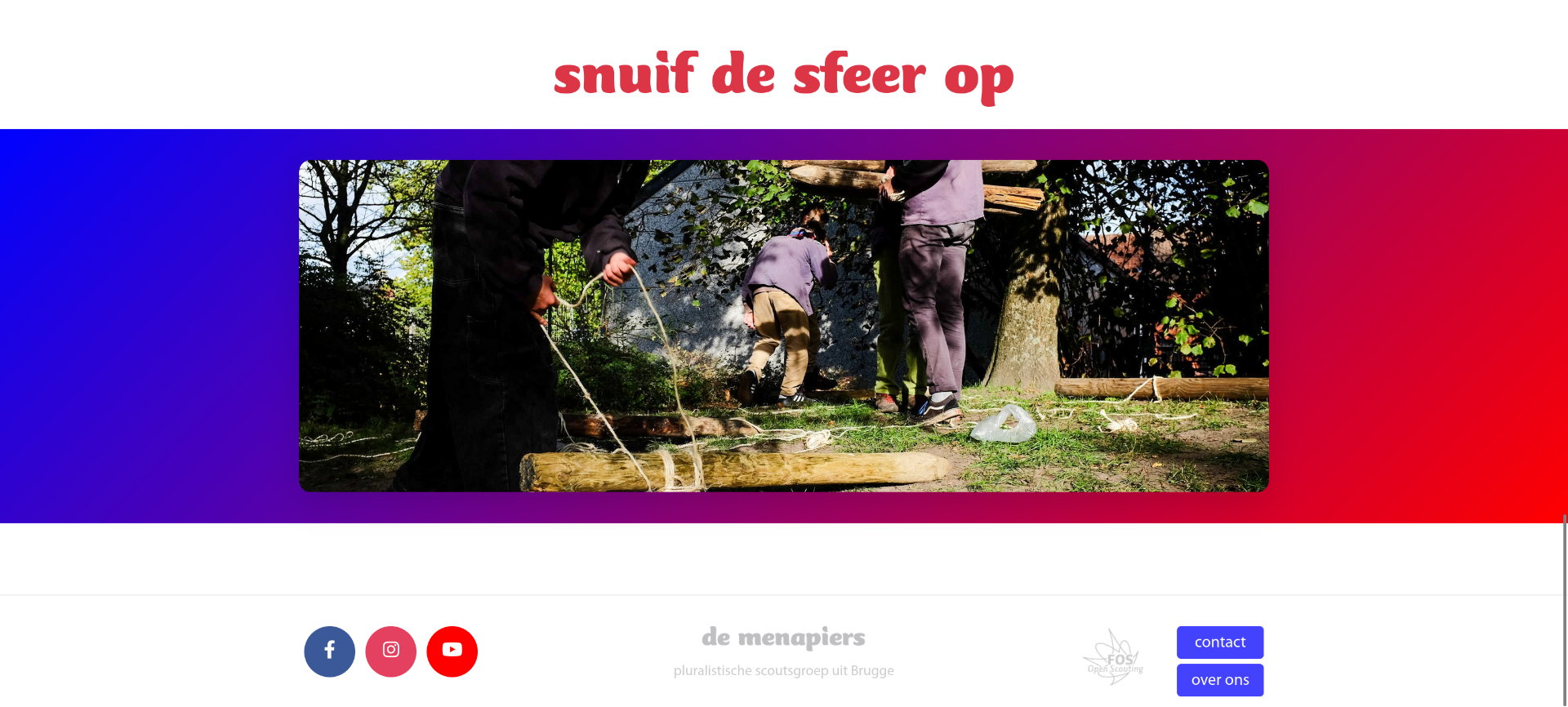
Alongside the complete overhaul of the CMS, I introduced a wide range of frontend improvements. Because the original website was quite outdated, many of its components were no longer compatible with modern browsers. To address this, I updated the codebase to ensure smooth performance across all current browsers, while still preserving functionality for users on older systems. In addition, I applied important security updates and refined the overall layout and usability of the site.
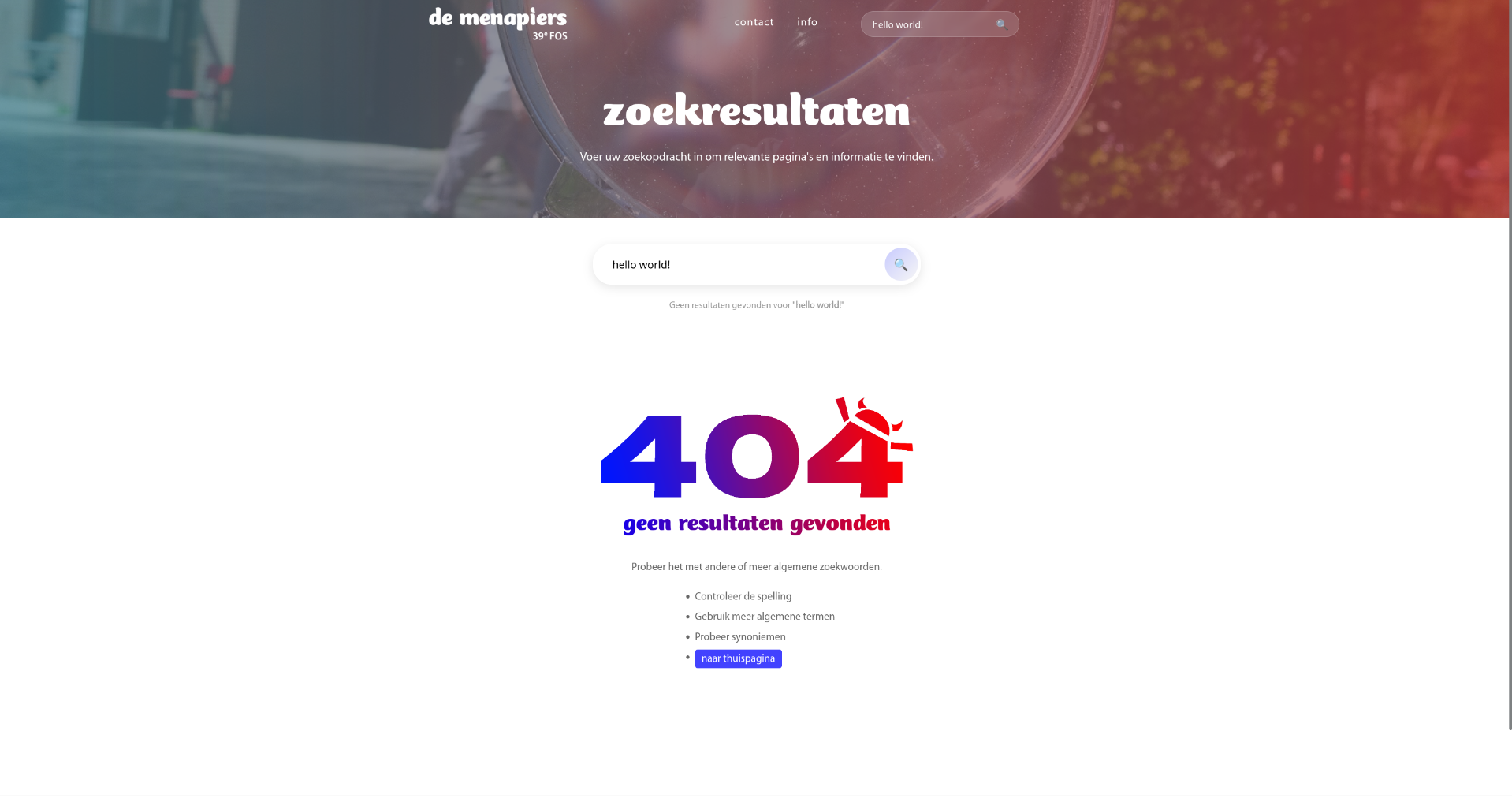
Search function
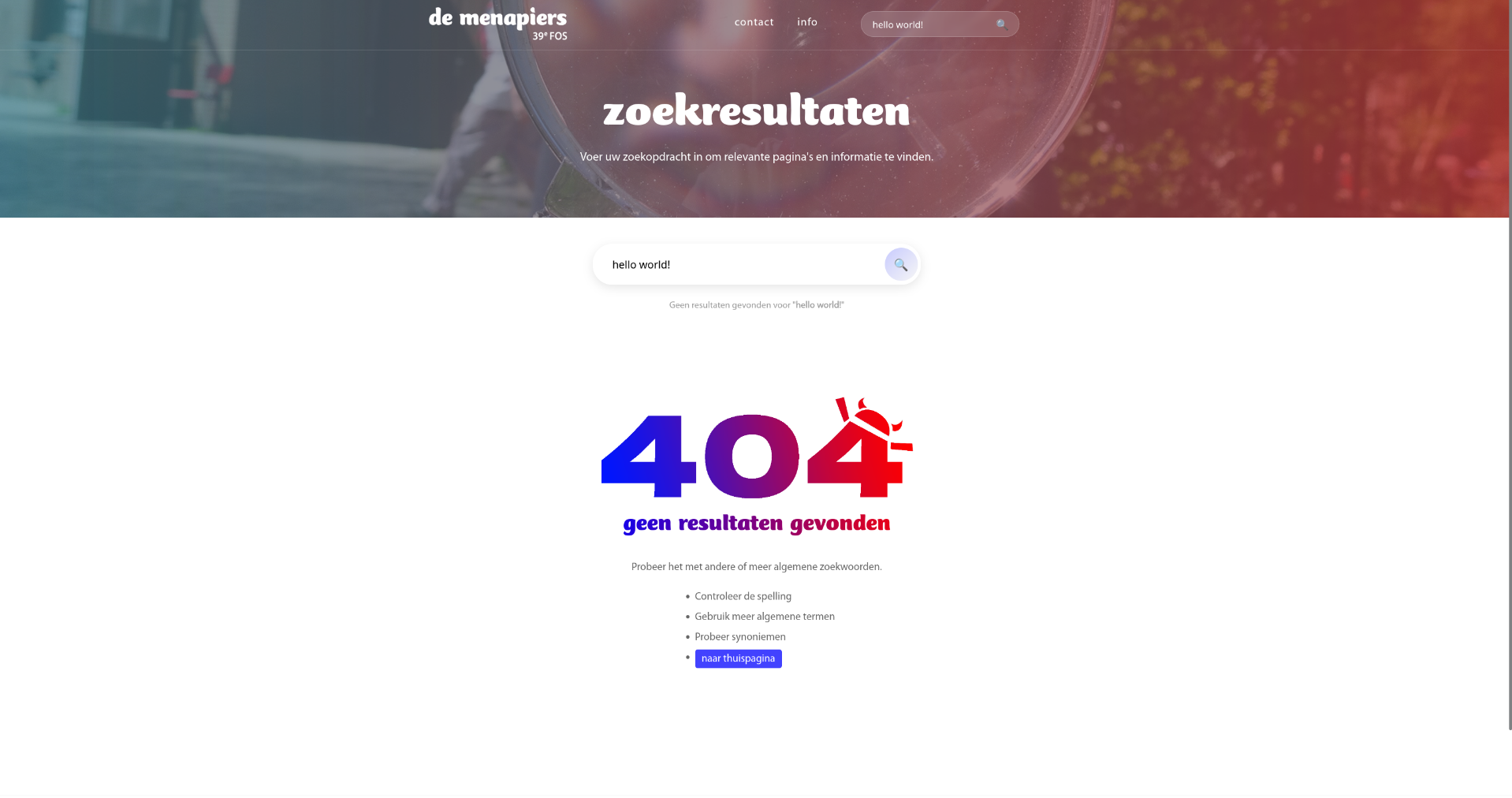
The previous version of the website did not include a search function, which made navigating the content far more difficult than it needed to be. To improve usability, I developed and integrated a fully functional search feature, allowing users to quickly find the information they’re looking for and enhancing the overall browsing experience.
Calendar & Scheduling Improvements
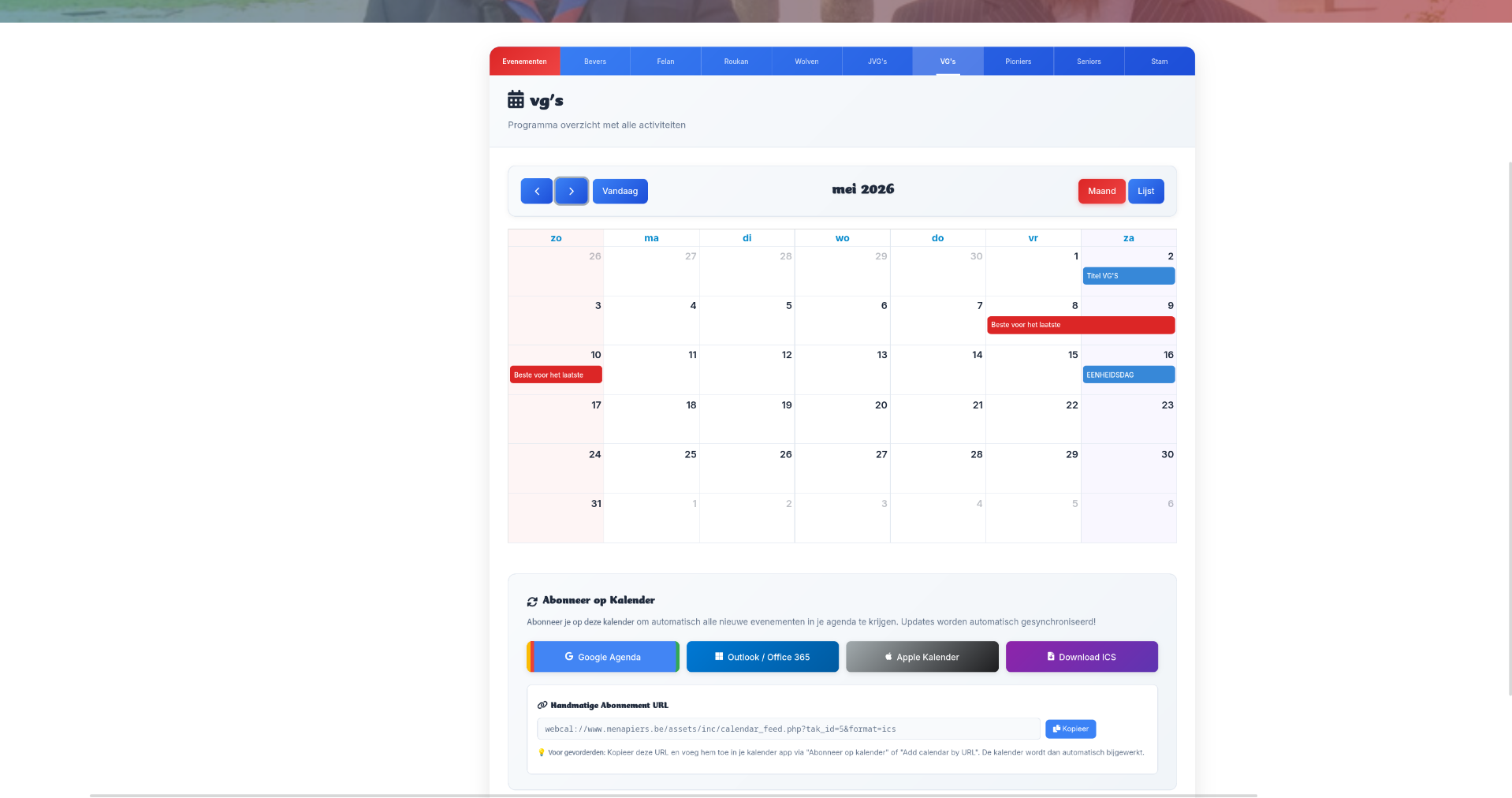
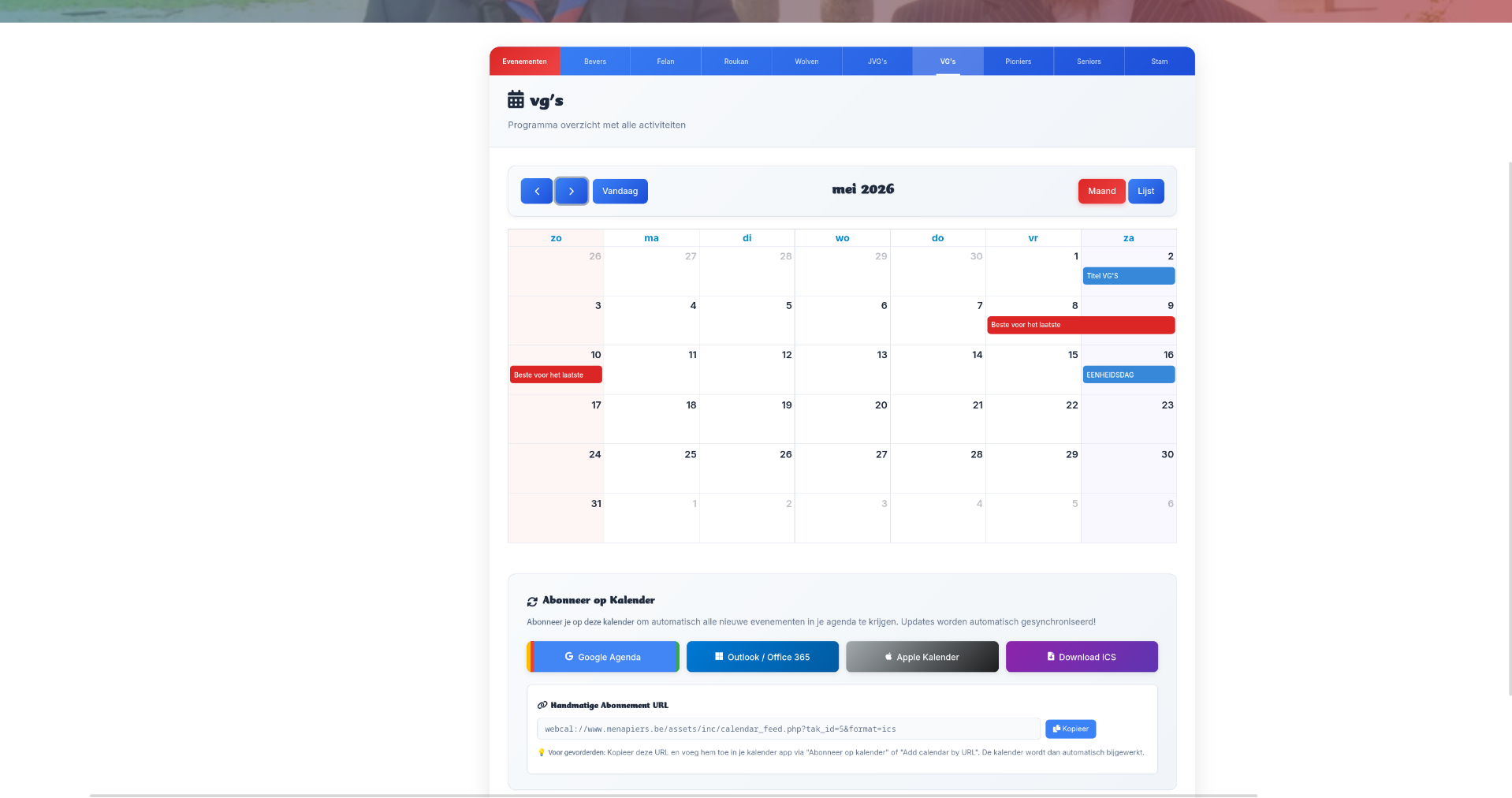
To make it easier for parents to stay informed, I introduced calendar section that provides a clear, organized overview of all upcoming events and activities. This new layout allows parents to quickly find the information they need without having to navigate through multiple pages.
I also added convenient calendar integration features, allowing users to import events directly into Google Calendar, Apple Calendar, Outlook/Office 365. These import options ensure that any updates made in the system are automatically synced to their personal calendars, making schedule changes effortless and reliable.
This upgrade was very well received, as it significantly streamlined communication.
Conclusion
This custom CMS project represents a comprehensive full-stack web development effort spanning database architecture, backend development, frontend design, security implementation, and user experience optimization. The complete overhaul of a production system for an active non-profit organization required balancing technical excellence with practical considerations such as data migration, user training, and maintaining organizational continuity.
The resulting system is a robust, secure, maintainable, and user-friendly content management platform that effectively serves the organization's needs.
This CMS continues to serve the organization effectively, managing their complete web presence, and serving their community with reliable, secure content delivery.
Project Gallery